I would like to know if anyone knows the about the different action controller lock settings in the BES Administration tool?
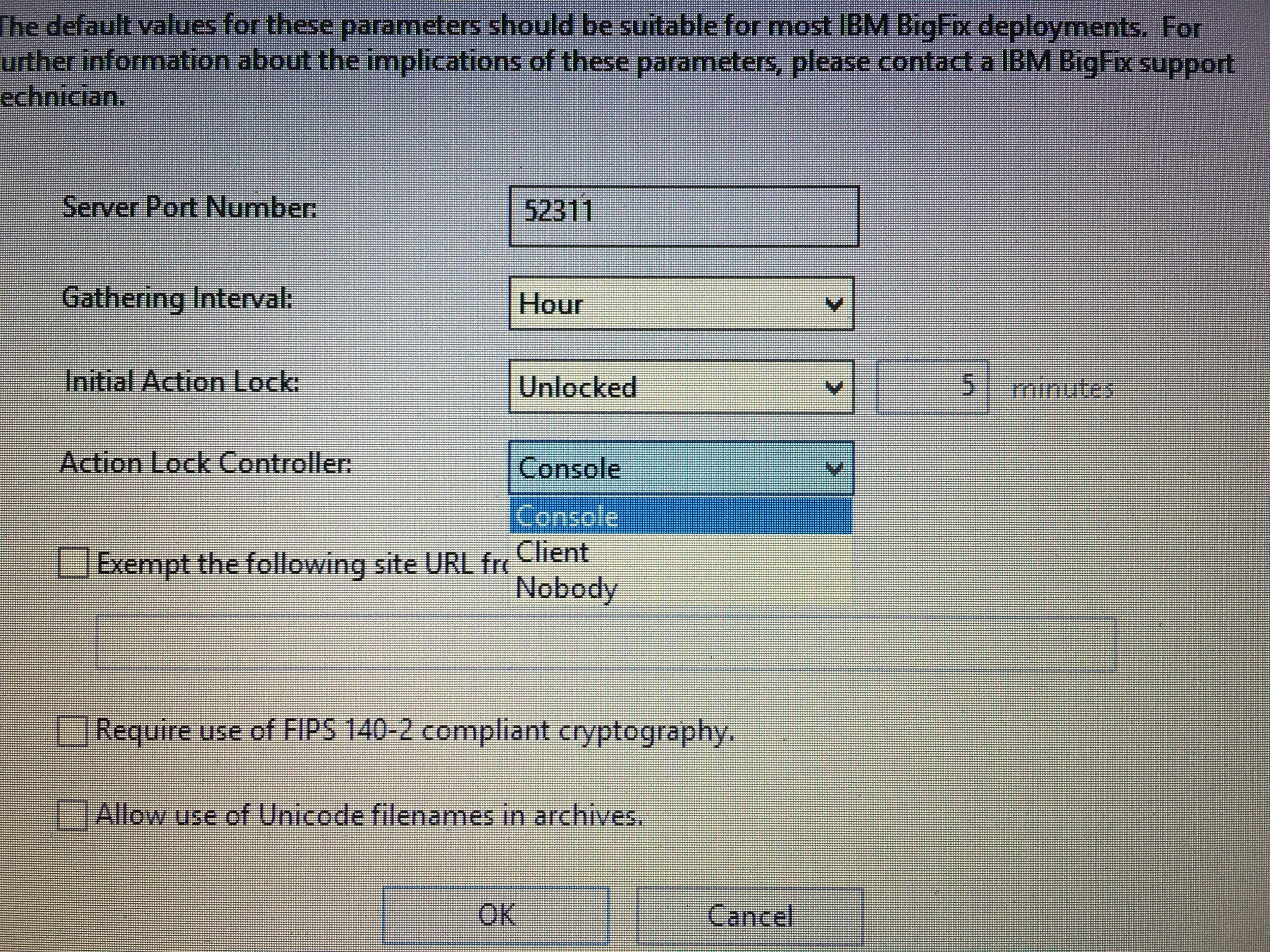
Ours is set to default of Console.
From memory I remember there are 2 other options: client and nobody.
The documentation simply says for client “not recommended”
-but the documentation should say what is the use case and how you can only unlock it from the client?
-if there is a nobody option what does that mean? It sounds as if the BigFix client could be installed in a indefinite lock state.
To my knowledge the lock state is just reg key on windows and a line item on unix systems. So I would like to know how the other 2 options prevents or restricts to the lock state to client or nobody.
If you want to delegate control over locking to the end user, you can select Client
This sounds like the end user could lock or unlock the client using an offer or something similar. It is definitely not clear.
It also doesn’t really say what happens when you set it to Client … perhaps it is unlocked when set to Client but then it can be locked and unlocked by the Client ?
There definitely needs to be some improvements to this documentation.
So as you can see there are 3 options:
Console
Client
Nobody
IBM please tell me what “client” and “nobody” mean.
-is client mean only the client can control lock state, if so how does the client control the state?
-does nobody mean if locked on install it can never be unlocked except for a full reinstall?
-does the masthead setting enforce this state?
-do site mastheads updates override client mastheads
Can I export a masthead with
initial lock state: locked
Action controller: nobody
Does this translate into clients on the network forever in a lock state or read only?
I am interested if this is the case to ease concerns of BigFix is going to do what to my machine!! If I can in special situations pair a client with this masthead and say only you or nobody can unlock your machine. So no actions will ever make changes to your machine. It would be a good way to get people to install BigFix on their machines and gain trust.
Hmm this is interesting. And I did not find any GOOD documentation on this, so I figured I’d give it a shot and see what happens.
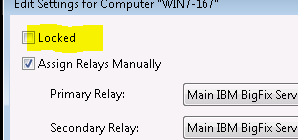
Here is picture or RIGHT clicking and editing a computer with the above setting to “Console” for the controller:
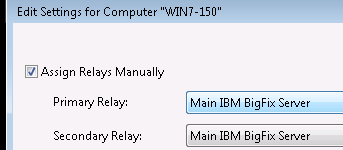
And as you expect I can LOCK and UN-LOCK endpoints. (another note I do use the custom SITE that overrides any locked machine). So then I made a change to the masthead in the console to change this to CLIENT controller. Now when I right click edit an endpoint:
Hmmm lost the ability to do this… but I figure well I can make a Fixlet/Task to do this so I tried but it failed. And looking at the client log:
SO I could NOT send a Fixlet or Task to make this work. I was thinking along with @jgstew
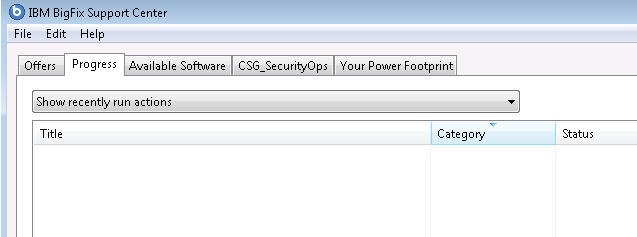
that you could make this an offer or such, but it won’t work. Then I thought MAYBE a new option would show up on my Endpoint Tray Icon:
I was hoping to see the LOCKED check box here (as it is now in control of the client) - but i poked around and found no way from here to do it. I suppose if I MANUALLY changed the registry it would work (i have no tried that). But documentation is lagging here. However I know that if you set this to “Client” then you cannot do much about this via a Task using the commands at your disposal.
That is very interesting test - so the question is how do you control the locking state on the client?
…also once the client lock controller can be figured out, the assumption is the nobody settings will mean there is no way to lock/unlock w/o a full client reinstall.
I doubt a FULL client install, simply because in my TEST - i never uninstalled anything. I simply used the ADMIN tool to make my changes, and refreshed my one BES Client, and clicked REFRESH in the console (i never closed it) and it did PICK up my changes… both times…
Was really HOPING to see that function move to the TRAY icon… sigh…
BES support is exempt… and I actually usually add another custom site to the “by pass lock” via the admin tool. I was trying to determine WHAT effect it has via the admin tool settings…
advController (optional, integer)
Determines who can change the action lock state. The default is Console, which allows any Console operator with management rights to change the lock state of any client in the network. If you want to delegate control over locking to the user, you can select Client, but this is not recommended. Valid values are:
0=console,
1=client,
2=nobody
advInitialLockState (optional, integer)
Specifies the initial lock state of all clients. Locked clients report which Fixlet messages are relevant for them, but do not apply any actions. The default is to leave them unlocked and to lock specific clients later on. However, you might want to start with the clients locked and then unlock them on an individual basis to give you more control over newly-installed clients. Alternatively, you can set them to be locked for a certain period of time. Valid values are:
0=Locked,
1=timed (specify duration),
2=Unlocked
advInitialLockDuration (optional, integer)
Defines the period of time in seconds the clients must be locked.
advActionLockExemptionURL (optional, string)
In rare cases, you might need to exempt a specific URL from any locking actions. Check this box and enter the exempt URL.
Note: You can specify only one site URL and it must begin with http://.