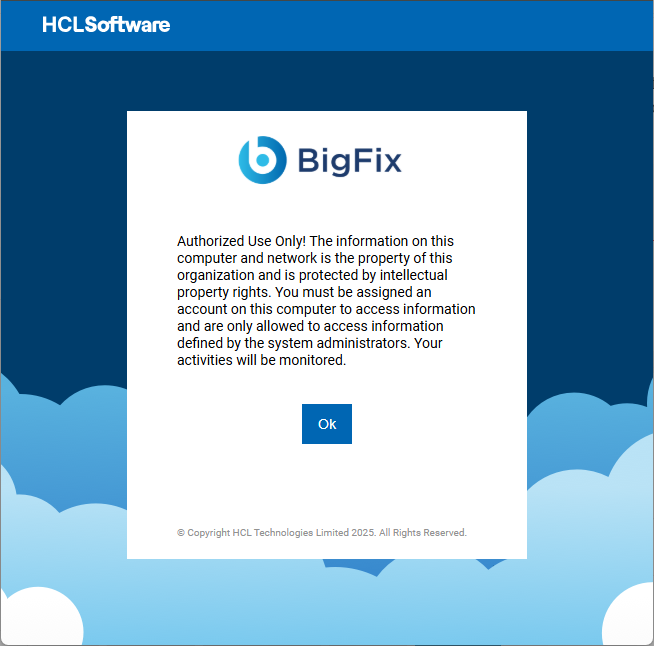
Its possible to configure a login banner warning for the console and webreports server by adding the “loginWarningBanner” setting under the advanced options when running the besadmin tool. However this does Not also set the banner on the WenUI. How does one set a warning banner on the WebUI?
So the setting value appears to have a character limitation associated with it. Lawyer speak is larger than this value. Any other workarounds? Maybe something via the underlying Node.js settings?
Is this still possible? I can’t find much anywhere on the _WebUIAppEnv_USER_TEXT setting, and so far it doesn’t seem to be doing anything, even with a very short message (if character limit was the issue).
Thank you for confirming. That must be my issue then, that we’re using SAML. I had hoped the messaging would appear after authentication, like the desktop console, but I’ll submit an idea for this.
In the case of SAML, I'm curious why one would not just enforce the message on the SAML Identity Provider, so you don't have to configure messages individually on each application?
In our case we’re migrating BigFix servers, so I only want BigFix operators to see the message that we’re “migrating servers, deadline xyz, etc.” — no need for it to be visible to everyone in the organization.
Or for example, “Servers scheduled for maintenance on xyz” — again just something I would want only BigFix operators to see.
For future travelers: This is resolved now with the latest webUI update (BigFix WebUI update available - May 2026). _WebUIAppEnv_USER_TEXT successfully appears before login for SAML users