How do we configure the LDAP on BigFix Web reports to use either signed LDAP (TLS) or LDAPS (SSL)?
Thanks in advance
Jim
How do we configure the LDAP on BigFix Web reports to use either signed LDAP (TLS) or LDAPS (SSL)?
Thanks in advance
Jim
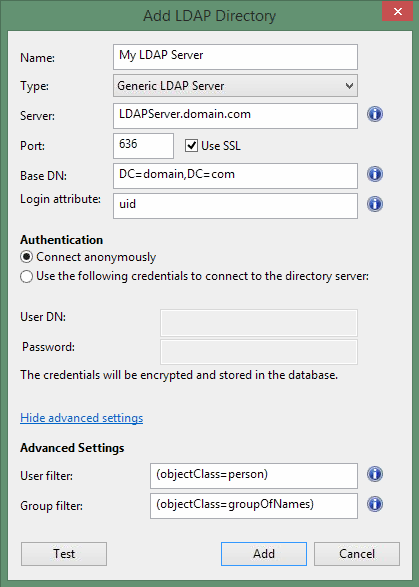
You must 1st configure AD/LDAP in the BES console as a Master Operator (aka MO) and then you can align AD/LDAP roles/users within the User Management section of the WebReports interface. See the following screenshot for additional context.
Thanks CM. I have that part configured, it just isn’t using the signed LDAP which I want as I don’t want clear text crossing the wire.
Did you choose to use SSL in the configuration of your BigFix Console LDAP Directory?
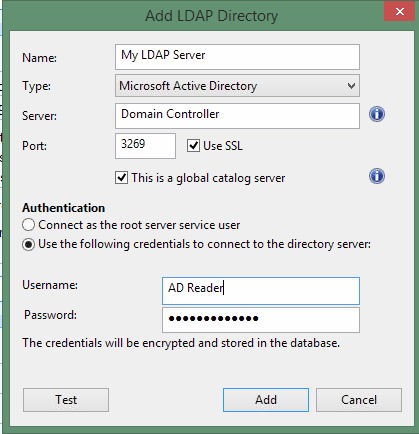
I would expect that to encrypt all LDAP communications used by BigFix Root and Web Reports servers.
What version is this in?
These screenshots happen to come from a BigFix v10 Console, but it is not new, and has been present in BigFix for a while.
Here’s the link to the same dialog in the BigFix 9.5 documentation: Add an LDAP directory to the BigFix Server