Going back a few years ago, we found that if you simply apply the latest vmware tools update, a small percentage of servers will wipe out the NIC configuration.
While we’re not 100% sure on true root cause(s), we did identify 2 critical items that needed to occur to basically eliminate this issue.
Identify if the server was in a pending restart situation from patches staged and not applied and reboot prior to attempting vmware tools upgrade
Vmware tools installer & and it’s pre-reqs often require a restart and then you have to retry the install a second time to complete the upgrade. This is documented right in vmware KBs.
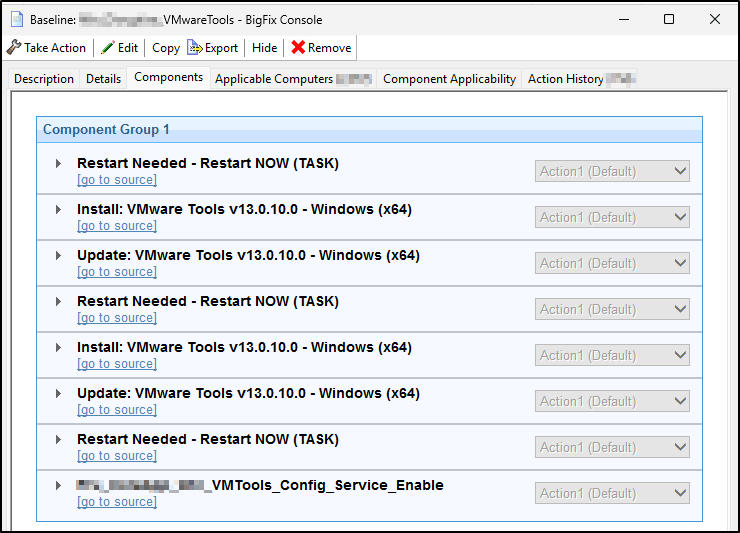
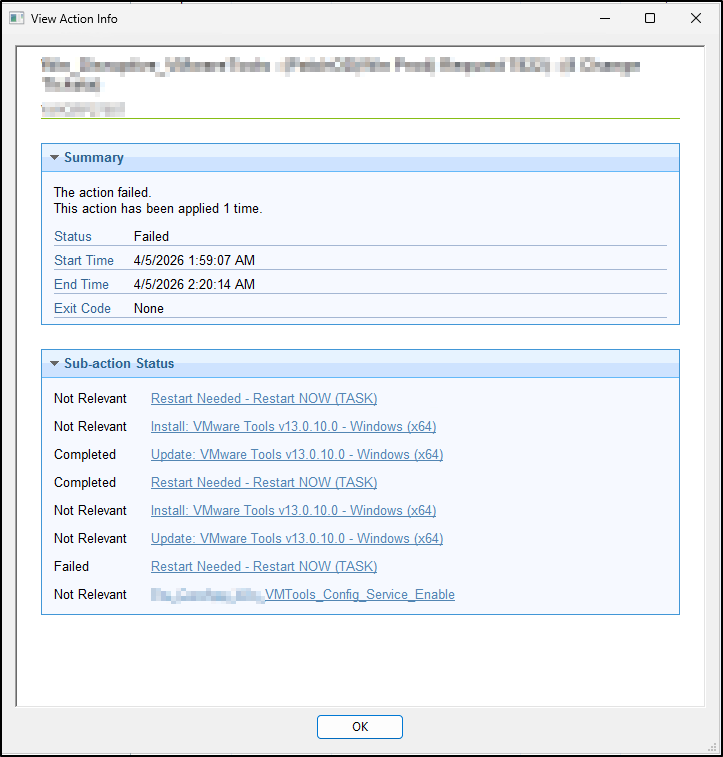
So we have been using a baseline that looks like the following. The key takeaway here is that we check for reboots, reboot when needed, and then try again. Of course if successful on the first try, relevance prevents further again. The upgrade fixlets are standard HCL while the install fixlets are HCL with tweaks to identify missing vmware tools (same actionscript).
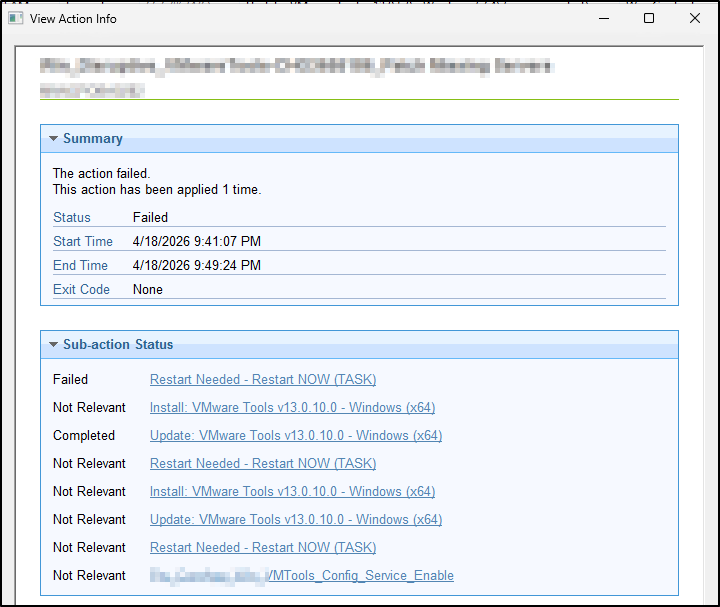
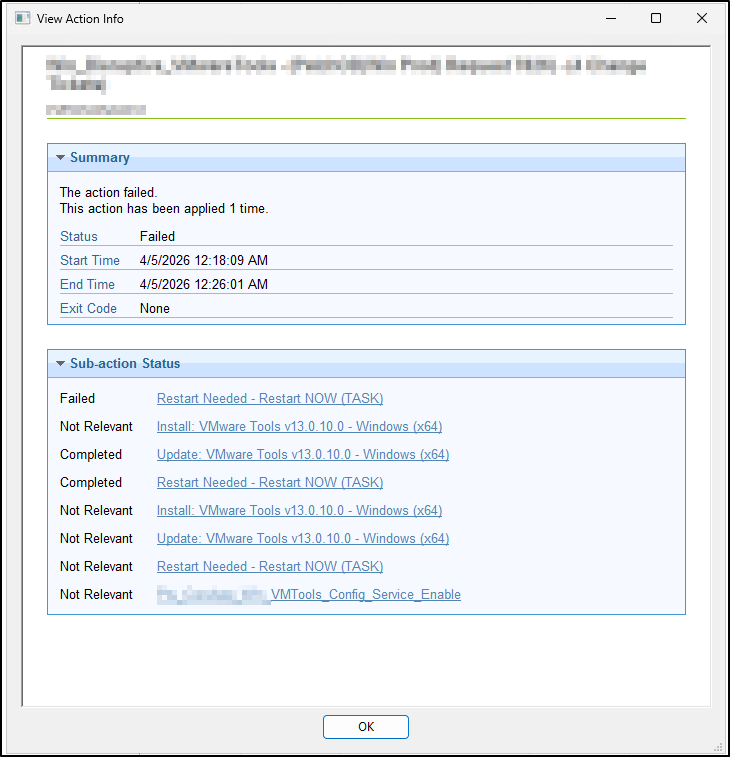
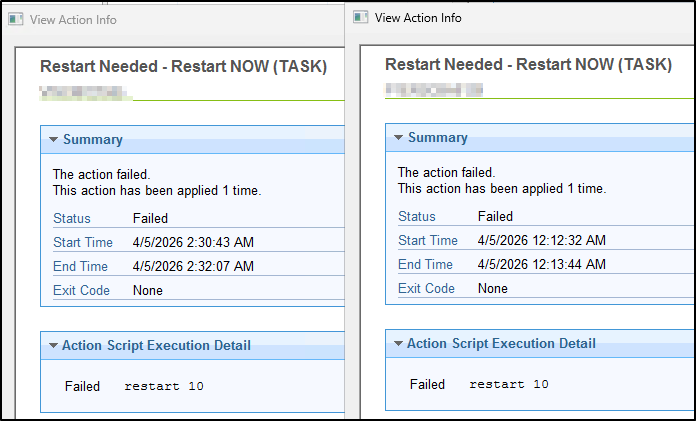
When we patch servers, we will apply multiple baselines at the same time. OS, Office, applications, etc. Whichever action the client decides to run first, it does. What we are finding is when the server reboots in the middle of this baseline, sometimes the BigFix client will stop running this baseline and instead begin running another baseline…. When this occurs in combination with other baselines/reboots, we see a small percentage of the baseline action for vmware tools to report a false positive failure on one of the restart fixlets.
I believe this is expected behavior, correct?
Doubtful, but is there any client config that can be applied to ensure the client returns to the same baseline?
I imagine the only fix is custom relevance to chain baselines or to leverage Server Automation?
Other suggestions?
P.S. Now that we have been pushing out C++ runtimes more regularly, we theorize the vmware tools pre-reqs in the installer may not be as much of an issue as in the past but it’s hard to be sure without more research.
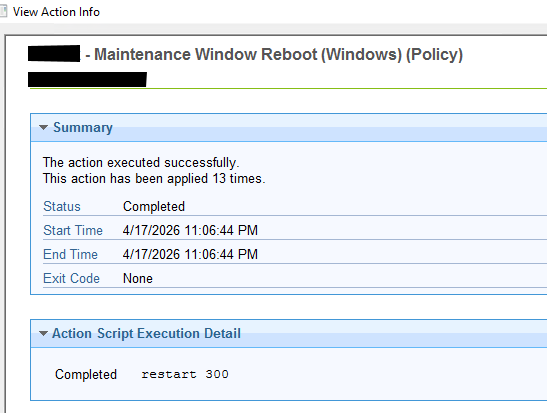
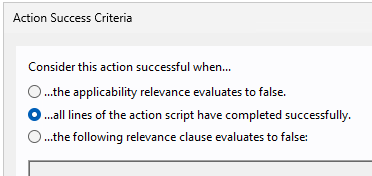
Can you check if restart is actually happening, may be using uptime property to avoid remote login to server. Most likely bigfix is reporting this as false positive and changing the success criteria to All lines of the action script have completed successfully.
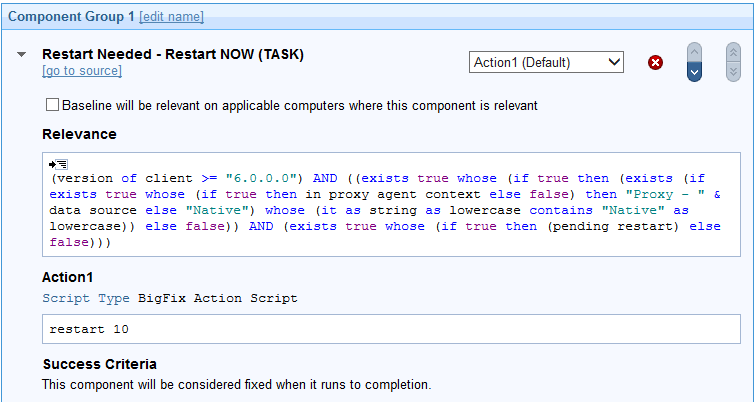
Sorry, my question is for the restart task. A fixlet will require success criteria but a task will just return complete if the all tasks in the action script actually ran.
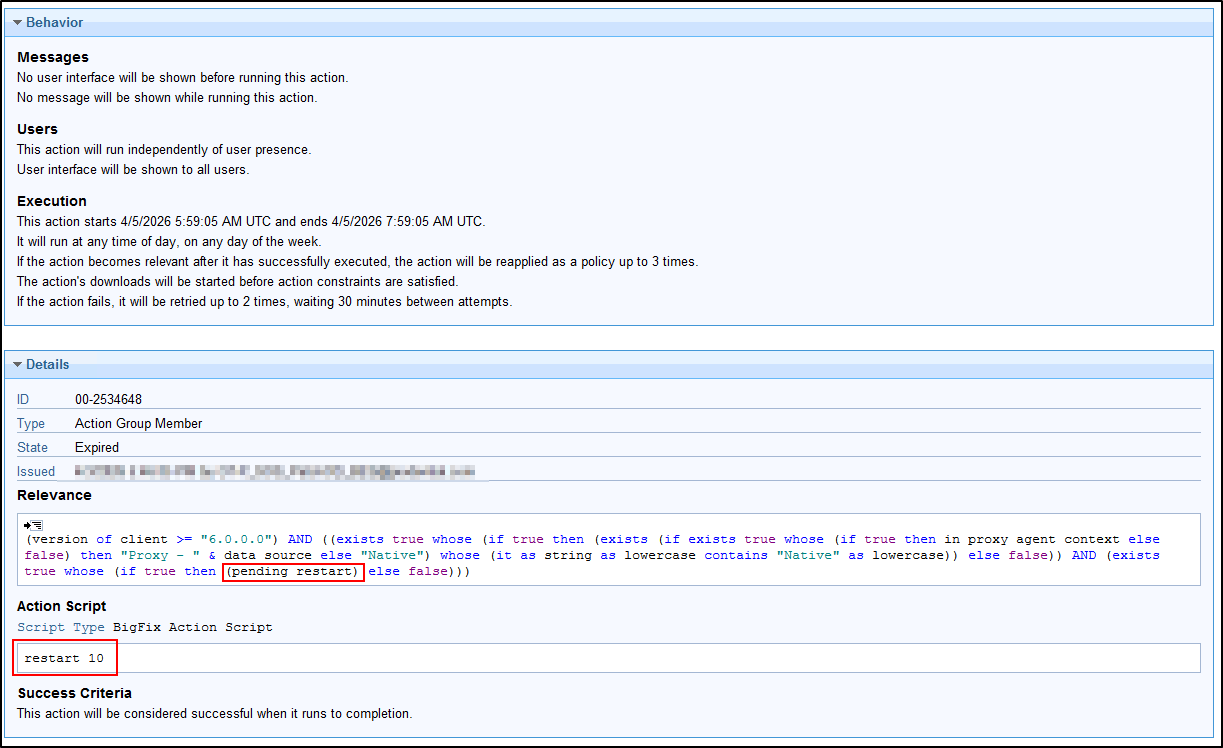
Restarts do for sure occur in this baseline, but from what I can gather reviewing logs is the issue is a situation where the server may switch the active baseline actions following a reboot. At some point during the multiple baseline action executions, relevance for “pending restart” changes true/false and the BigFix client sets the action status to Failed.
This gave me an idea actually… I wonder if I should try setting the task “Success Criteria” to “applicability relevance evaluates to false” or maybe just “False”.