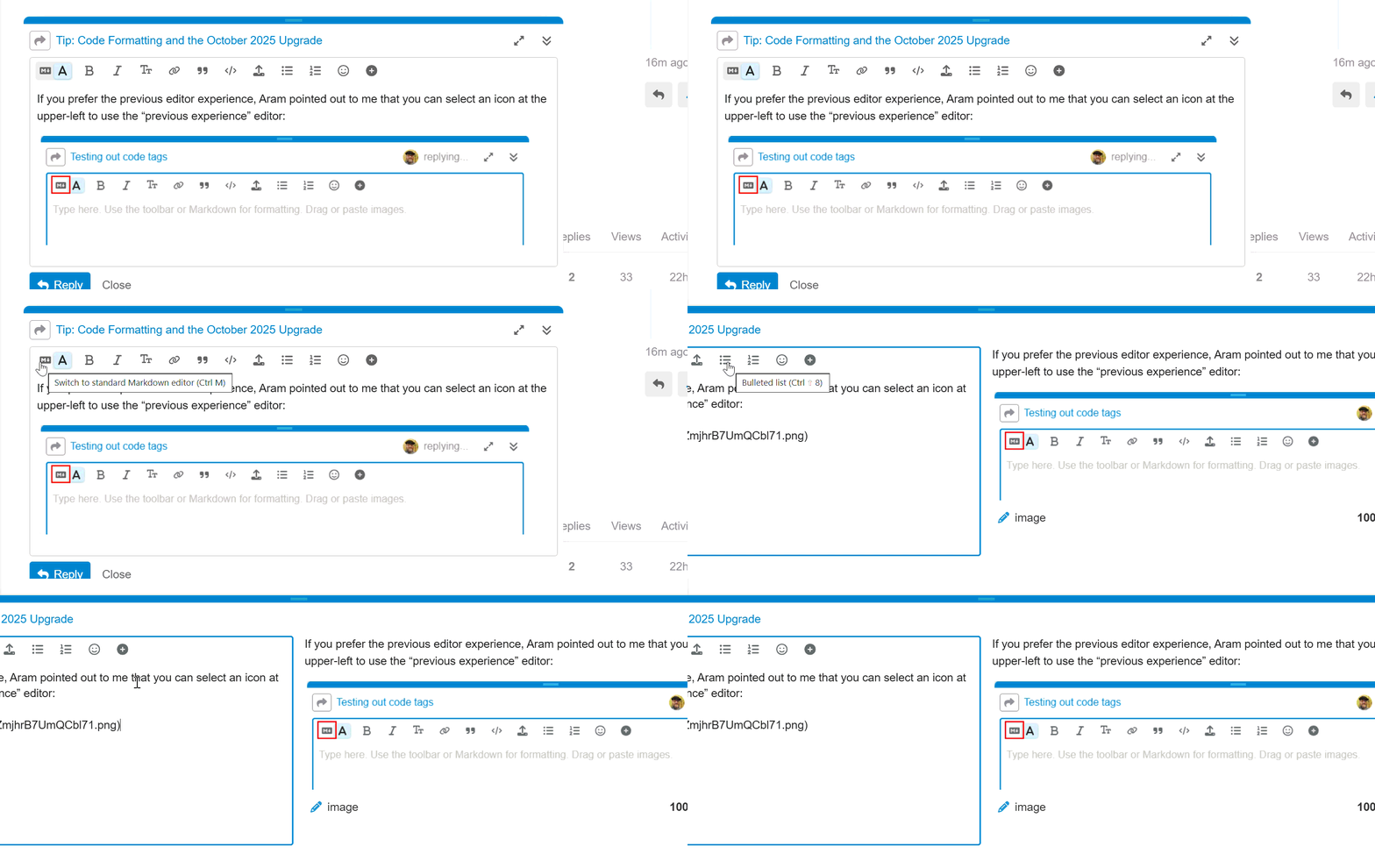
A short note on Code Formatting and the upgrade to the Forum in October 2025.
When making a post, if you need to post any code (including Relevance, ActionScript, or any other language), you must take care on how the code is formatted.
By default, and doublequotes in a message are replaced by human-friendly “Smart Quotes” (see how the two doublequotes are different, with one set pointing right and the other left to “wrap” the text? Code doesn’t expect that). Likewise, anything that looks like an HTML tag is not displayed correctly in the Forum, which attempts to interpret the tags.
To overcome these issues we often say “Be sure to use Code Formatting”. How to do that?
The easiest way when making your post is to highlight an area of the text, and press the “Preformatted Text” button above the editor window:
This area will be displayed as preformatted code.
exists (values "EnableFirewall" of keys ("HKEY_LOCAL_MACHINE\SOFTWARE\Policies\Microsoft\WindowsFirewall\" & current profile type of firewall as string & "Profile") of native registry as string ) whose (it="1") or ( firewall enabled of current profile of local policy of firewall AND not exists (value "EnableFirewall" of key ("HKEY_LOCAL_MACHINE\SOFTWARE\Policies\Microsoft\WindowsFirewall\" & current profile type of firewall as string & "Profile") of native registry as string | "-1") whose (it = "0") )
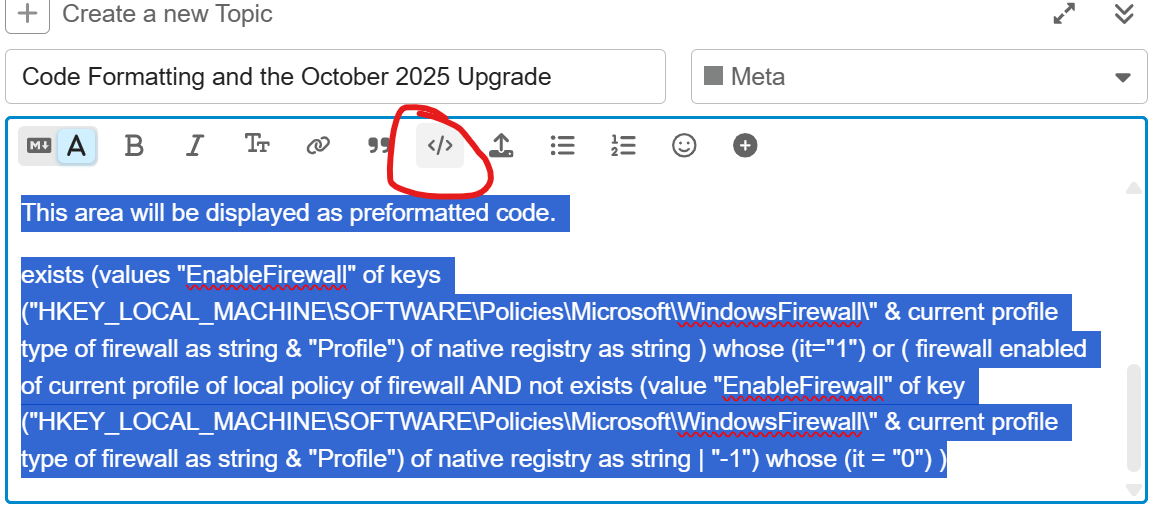
The previous block was copy/pasted from a Fixlet Relevance, then highlighted, then I pressed the “Preformatted Text” button to apply the Code style.
If you are not copy/pasting the “correct” quotes to begin with, but typing the message, you may need to apply the formatting before you type. That seems to be new with this version of the Forum software - in previous versions, the Copy/Paste would change normal quotes to “Smart Quotes”, and applying the Preformatted style would change them back; now, the Paste does not change to Smart Quotes, and applying the Preformatted style also does not change “Smart Quotes” to “good quotes”
values “I typed this and then changed to preformatted” of keys “KeyName” of registry
versus
values "I applied preformatted text style and then typed this after" of keys "KeyName" of registry
Without the buttons, we can also apply the code/preformatted style by:
Wrapping the text in three backticks before and after, markdown-style; or depending on browser/editor, typing three backticks before may switch into ‘code preview mode’
```
This is a block of code

values "I applied preformatted text style and then typed this after" of keys "KeyName" of registry

```
Or, a blank line followed by a line indented with four spaces does the same:
values "I applied preformatted text style and then typed this after" of keys "KeyName" of registry
will render as
values "I applied preformatted text style and then typed this after" of keys "KeyName" of registry
In earlier versions of the forum, typing a single backtick before and after a word would preformat `some piece of the line` but that seems to be hit-and-miss now, I’m not sure what rules apply but it doesn’t seem to always work for me.