(ids of it, name of it, (if it starts with "<" then "" else it) of value of results from (bes properties "domain/workgroup - windows") of it | "") of bes computers
This simple session relevance works using the Relevance Tester but it doesn’t work when I’m using powershell or other tools to post the query manually. It comes back showing empty values for “domain/workgroup - windows” property. I think it could be a problem with the slash so I tried converting it to URL ecoding like so: “domain%2Fworkgroup - windows” but it still doesn’t work. If I change just the property name to a different property name such as “serial number” then it works fine without any slashes.
number of bes properties whose(name of it as lowercase contains "domain/workgroup - windows")
Play with this until you get it to return a number greater than 0.
You may need to figure out how to escape the / in the language in question… which sounds like it is powershell. (if it is an escaping issue, it is with powershell, not with bigfix session relevance… in this case)
Might be something like: (I have no clue, I’m making this up)
number of bes properties whose(name of it = "domain\/workgroup - windows")
Can you share the powershell code with things like root / username / passwords redacted?
It is also possible you have more than 1 property with the same name, which can cause unusual issues in cases like this, but if that is the issue, there are workarounds… just need to know if that is the case here.
The code is kind of a mess with bunch of code commented out here and there. I can send you a copy later if you’re interested. I’m also using Postman to test the query as powershell is simply reproducing the same thing as the Postman client. Here’s the link if you need it. It’s basically a Rest API client. https://www.getpostman.com/
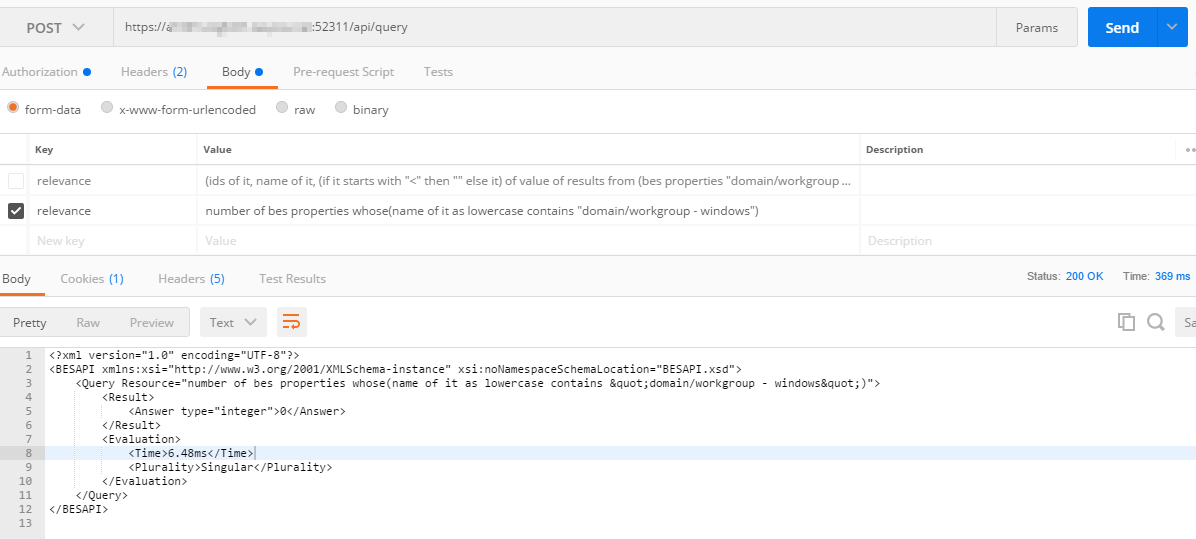
I tested the query you sent me and I get a 1 in the Relevance Tester, but I get a 0 in both powershell and Postman. I see what your query is doing so I need to update the query so I get a 1. Smart.
In Powershell the backtick is used to escape characters so I’m sure that’s not the problem. Here’s a screenshot of Postman results. I tried changing the property name around using URL encoding but nothing seems to work for me.
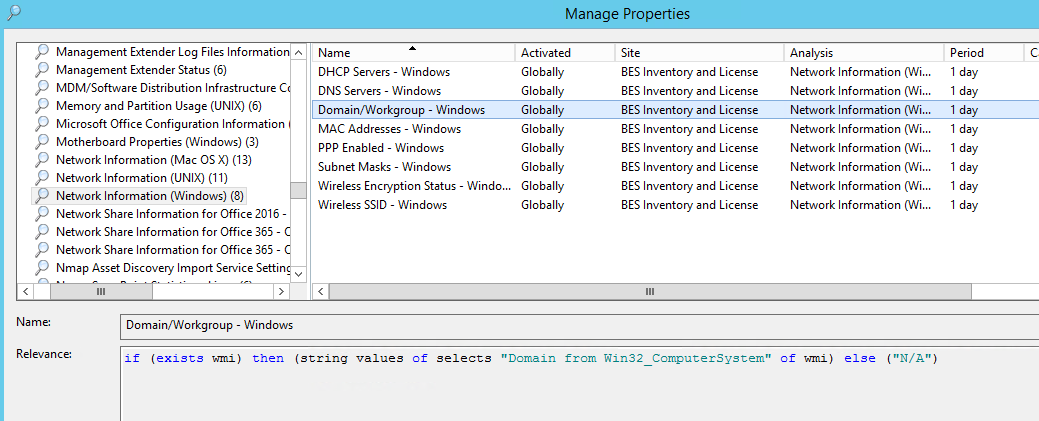
The issue could be the user doing the REST API call doesn’t have the analysis property activated, while the other user does. (ideally it should be globally activated)
The issue seems a bit more fundamental than that, more like the user doing the REST API call doesn’t have access to the site the property is in.
Wow you are right. I used my user instead of the service account and it works. Seems the service account doesn’t have access to all sites. Can’t believe I wasted all this time on a simple issue. Thank you so much.
Looks like the property is activated globally so not sure why the service account doesn’t have access to this property but it does to other properties. See screenshot. Any idea where else to look?