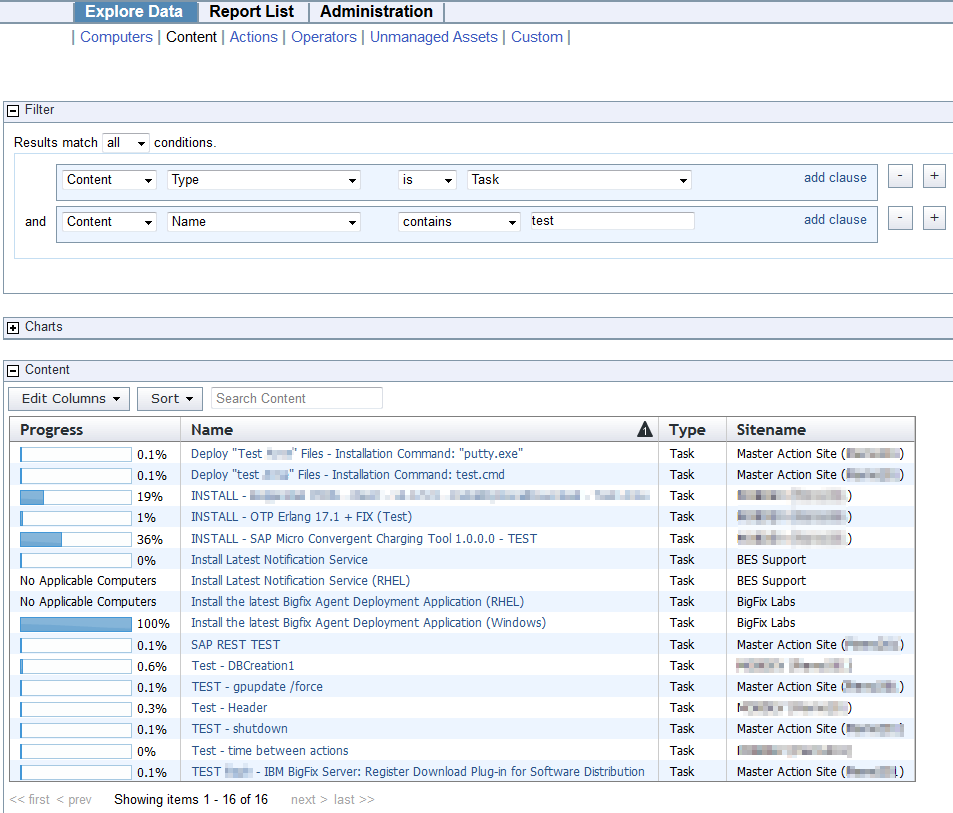
Using Web Reports …
I’m trying to create a report to show me all the Software Distribution Tasks whose names contain “reflections” and I so far I’ve been unable to do so.
I can see a single Task containing “Reflections” in the name via my Console, but when I attempt to filter on Content whose Name contains “reflections” in Web Reports I get no results. In my Console the Task is Relevant to 8,464 systems and is in a Custom Site.
If I just filter for NAME Contains “Reflections” I can see some manually created Uninstall Fixlets in Console Operator site where the Name contains “Reflections”.
If I set the Filter to Content whose Name Contains “Reflections” AND whose TYPE = TASK, I see NOTHING.
I even tried filtering on “ID xxx in SITE customsitename”
Obviously I’m doing something wrong. Any suggestions?