Hello Everyone,
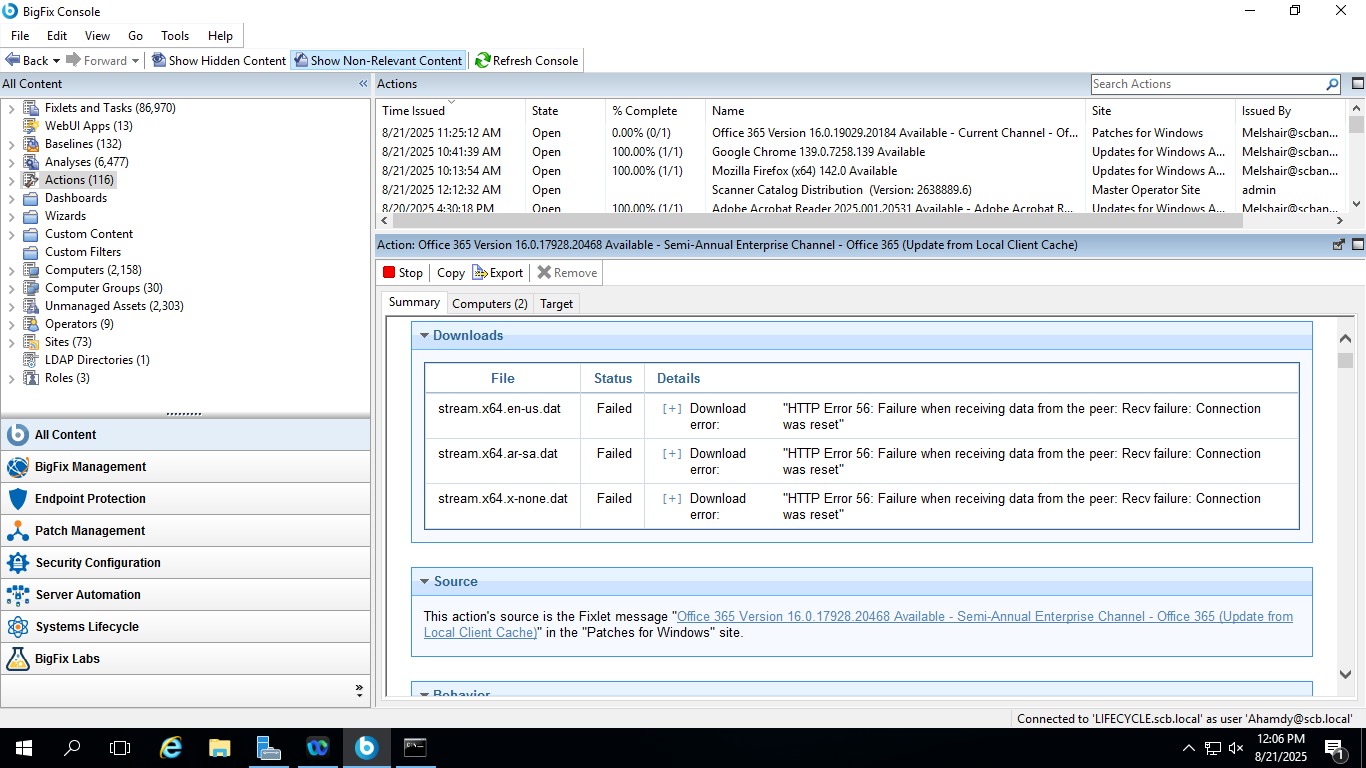
I’m facing an issue with Office 365 patches via the Root server which is that the required files related to the patch failed to be downloaded. Anybody has any idea about that or faced the same issue before.
Hello Everyone,
I’m facing an issue with Office 365 patches via the Root server which is that the required files related to the patch failed to be downloaded. Anybody has any idea about that or faced the same issue before.
HTTP Error 56 indicates there may be a proxy or firewall issue. Have you validated this by trying to download the file directly through a web browser on the root server? Does the file download successfully there?
If it does not, I recommend syncing with your network team to ensure the required URLs are allowed.
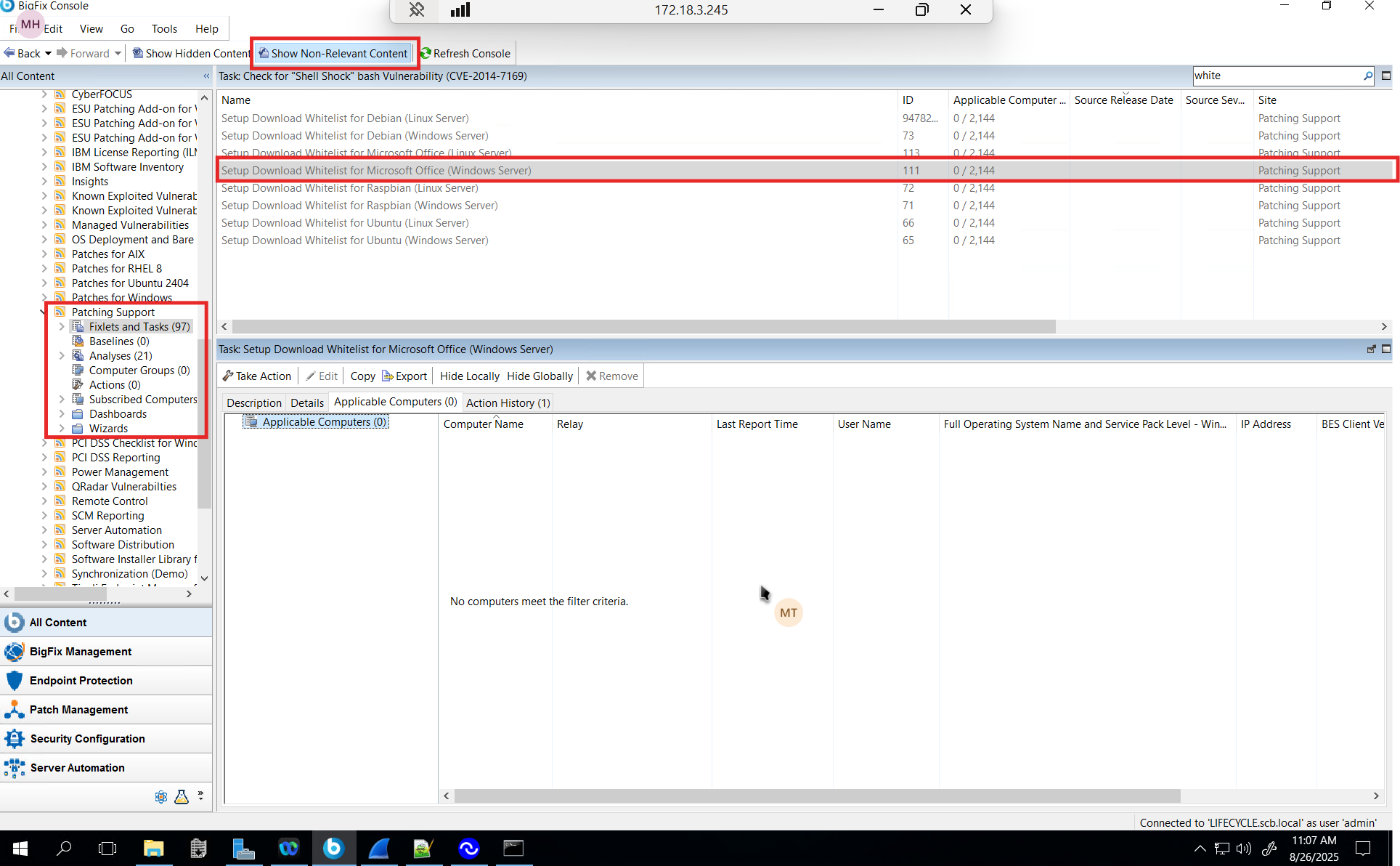
Maybe check this?
Yes, I’ve downloaded those files download directly through a web browser on the root server and they have been downloaded successfully. And I’ve created a Fixlet to download them as HTTPS and they are downloaded successfully. But the are failed to be downloaded as HTTP. And as I know BigFix supposed to redirect HTTP to HTTPS, but that not happens.
That’s why it is failed because BigFix tries to download them as HTTP instead of HTTPS??
Hi @mahmoud_teleb, you should not encounter this issue with Office 365 content released on or after August 12, 2025. For reference, the latest available fixlet for the Semi-Annual Enterprise Channel version 2408 is:
Fixlet #305179639 – Office 365 Version 16.0.17928.20654 Available Semi-Annual Enterprise Channel – Office 365 (Update from Local Client Cache) Released: August 12, 2025
Based on the screenshot you provided, you’re currently using Semi-Annual Enterprise Channel version 2408 (build 17928.20468), which was released on March 11, 2025. Please note that the HTTPS-related changes were not included in Office content released prior to August 12, 2025.
Thanks, Gus.