Hello Team,
we want to uninstall Office 2013 from the endpoints using BigFix. I have created a script that but it is providing the exit code 1.
prefetch 84cd0a8ecc8f741f996553d3195a2f355ecfd972 sha1:84cd0a8ecc8f741f996553d3195a2f355ecfd972 size:183 http://IFLIDCWBGFXDSK:52311/Uploads/84cd0a8ecc8f741f996553d3195a2f355ecfd972/Uninstalled.XML.tmp sha256:33961ef13267c70184e2a59433269ef69a1e64b4d674fc1afa9750cdd7b228f8
extract 84cd0a8ecc8f741f996553d3195a2f355ecfd972
if {not exists folder "C:\temp"}
folder create "C:\temp"
endif
continue if {exists file "__Download\84cd0a8ecc8f741f996553d3195a2f355ecfd972"}
copy "__Download\84cd0a8ecc8f741f996553d3195a2f355ecfd972" "C:\temp\Uninstalled.XML"
waithidden cmd.exe /c '"C:\Program Files\Common Files\Microsoft Shared\Office15\Office Setup Controller\setup.exe" /uninstall Standard /config "C:\temp\Uninstalled.XML"'
I just executed the above method manually on the system.
- Opens cmd as administrator
- Create a uninstall.xml file using notepad and save it in C:\temp\ paste the below connect in that file.
-
- Navigate to the setup directory: Run cd /d "C:\Program Files (x86)\Common Files\Microsoft Shared\Office15\Office Setup Controller" (use 64-bit path without (x86) if applicable).
- Execute: setup.exe /uninstall Standard /config C:\temp\uninstall.xml. Wait for completion (silent), then reboot if prompted
It worked perfectly. I think BigFix is not able to execute the above command with admin rights. Requesting you to provide any parameter that would help the script to execute the with proper admin rights.
Regards,
Kiran Varekar
Add the command action uses wow64 redirection false to your script
1 Like
Agree, you need to disable the 32-bit redirection before running the 'waithidden' command.
It also looks like you've wrapped the cmd command line in single quote. I don't think that's valid on Windows, and you'll need to wrap the command line in doublequotes.
You'll also need to detect whether to use Program Files or Program Files (x86). Often we would do this in the Relevance, with two different fixlets, one for x32 and one for x64 Office installations, but you could do that in the action script if you like
action uses wow64 redirection false

if {exists native file "C:\Program Files\Common Files\Microsoft Shared\Office15\Office Setup Controller\setup.exe"}

    waithidden cmd.exe /c ""C:\Program Files\Common Files\Microsoft Shared\Office15\Office Setup Controller\setup.exe" /uninstall Standard /config "C:\temp\Uninstalled.XML""

elseif {exists native file "C:\Program Files (x86)\Common Files\Microsoft Shared\Office15\Office Setup Controller\setup.exe"}

    waithidden cmd.exe /c ""C:\Program Files (x86)\Common Files\Microsoft Shared\Office15\Office Setup Controller\setup.exe" /uninstall Standard /config "C:\temp\Uninstalled.XML""

else
 // office installer not found
 exit 1
endif
1 Like
just throwing this out there in case you are updating through removal first… if you are updating to Office Click-To-Run (2019+ or 365), there is a checkbox in the install/setup config you can do that will automatically handle old Office version removals for you.
Hello ,
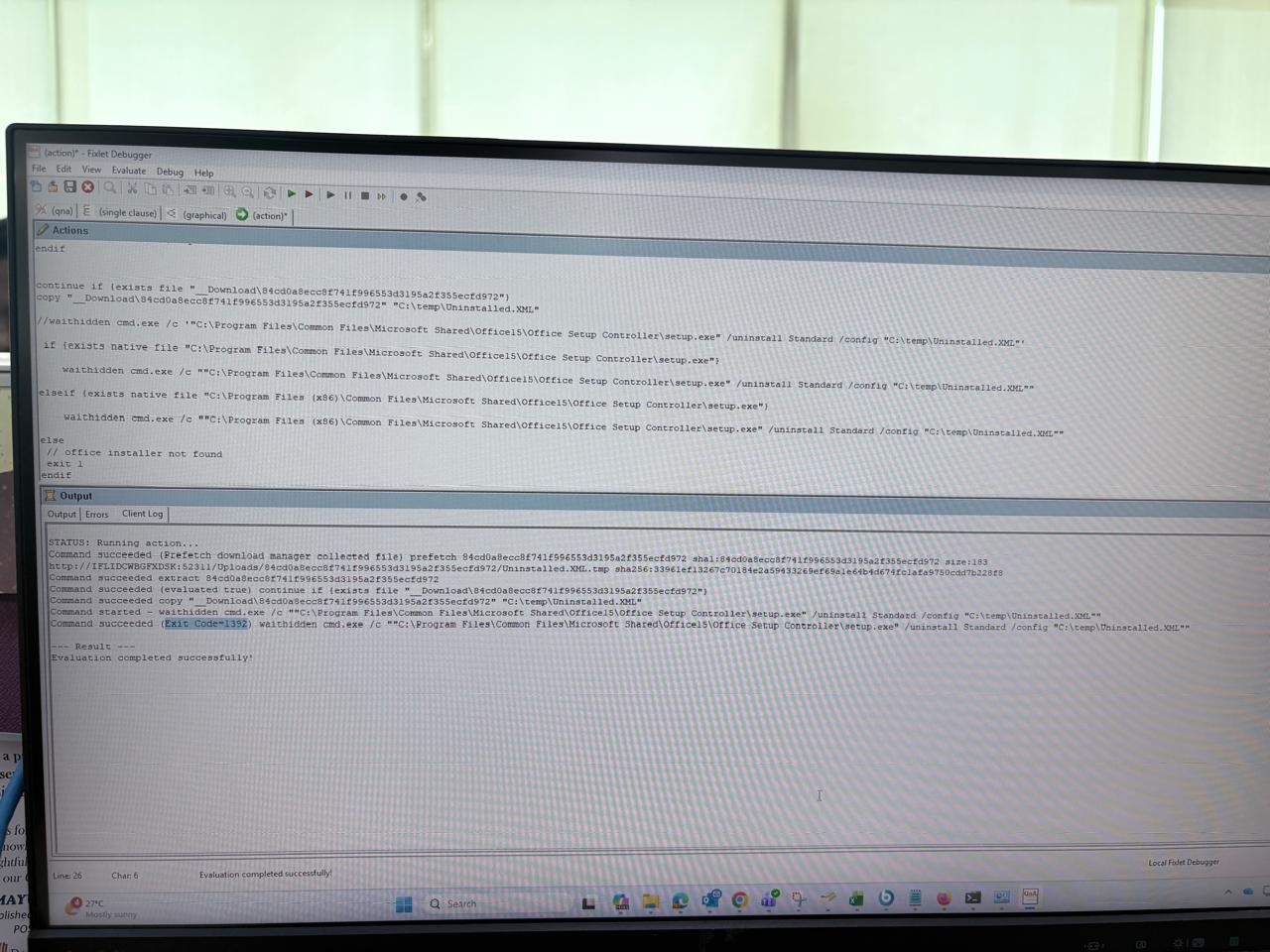
I have tried above solution provided by you.
I got the different error message.
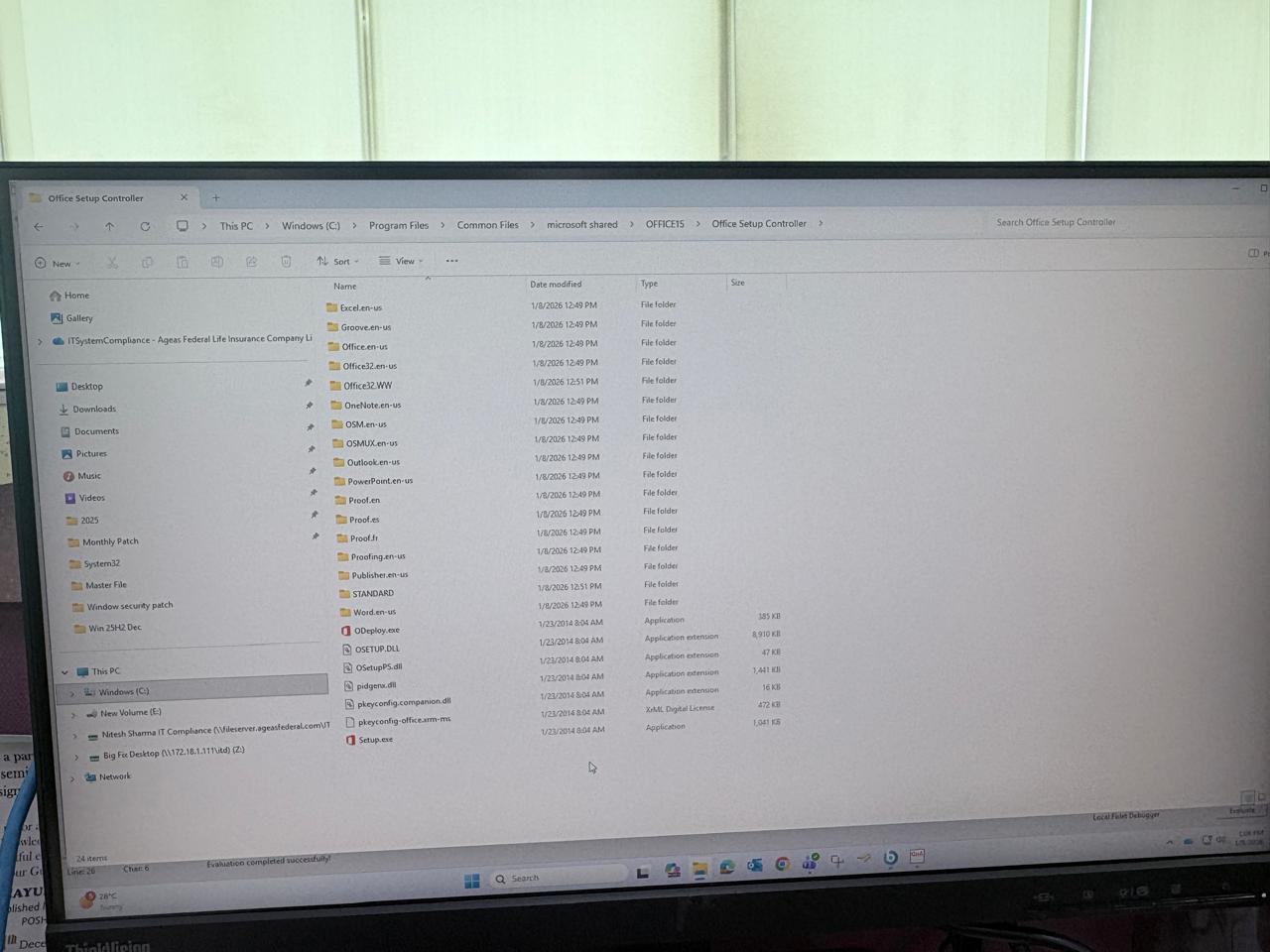
As you can see in screenshot setup.exe is already present. Even I have tried in different machines and got the same error.
Your screenshots are really hard to read, but I don't think I see a action uses wow64 redirection false in there
Hello Jason,
action uses wow64 redirection false was there but it was not captured in the ss.
Ok, then, I'd suspect an issue with your XML file. That error number 1392 corresponds to 'invalid directory' so maybe one of the paths from the XML is not correct - especially since you'd probably need different XML files for x32 versus x64?
That's about the extend of my MSOffice knowledge though.
Hello Jason,
I have tested this for only 64 but systems with the same XML file manually and it worked again.
But when I tried using Bigfix it did not work.
I'm not sure I can be of much more help. You might check whether there's an option in either the XML or the Office setup program to generate a log file and check there for what's missing. Maybe someone who still has an Office 2013 around could be of some help, but you're probably going to need to post your actual XML file and the real actionscript that you're running - we're not going to be able to diagnose some syntax problem from looking at pictures of your computer screen or a description of what you think the XML specifies.
<Configuration Product="Standard">
  <Display Level="none" CompletionNotice="no" SuppressModal="yes" AcceptEula="yes" />
</Configuration>
Above is the XML script that I am using.
action uses wow64 redirection false
prefetch 84cd0a8ecc8f741f996553d3195a2f355ecfd972 sha1:84cd0a8ecc8f741f996553d3195a2f355ecfd972 size:183 http://IFLIDCWBGFXDSK:52311/Uploads/84cd0a8ecc8f741f996553d3195a2f355ecfd972/Uninstalled.XML.tmp sha256:33961ef13267c70184e2a59433269ef69a1e64b4d674fc1afa9750cdd7b228f8
extract 84cd0a8ecc8f741f996553d3195a2f355ecfd972

if {not exists folder "C:\temp"}
    folder create "C:\temp"
endif


continue if {exists file "__Download\84cd0a8ecc8f741f996553d3195a2f355ecfd972"}
copy "__Download\84cd0a8ecc8f741f996553d3195a2f355ecfd972" "C:\temp\Uninstalled.XML"

//waithidden cmd.exe /c '"C:\Program Files\Common Files\Microsoft Shared\Office15\Office Setup Controller\setup.exe" /uninstall Standard /config "C:\temp\Uninstalled.XML"'

 if {exists native file "C:\Program Files\Common Files\Microsoft Shared\Office15\Office Setup Controller\setup.exe"}

    waithidden cmd.exe /c ""C:\Program Files\Common Files\Microsoft Shared\Office15\Office Setup Controller\setup.exe" /uninstall Standard /config "C:\temp\Uninstalled.XML""

elseif {exists native file "C:\Program Files (x86)\Common Files\Microsoft Shared\Office15\Office Setup Controller\setup.exe"}

    waithidden cmd.exe /c ""C:\Program Files (x86)\Common Files\Microsoft Shared\Office15\Office Setup Controller\setup.exe" /uninstall Standard /config "C:\temp\Uninstalled.XML""

else
 // office installer not found
 exit 1
endif