The BigFix team is pleased to announce an update to Software Distribution and the Self-Service Application!
**Content available in Self Service Application (SSA 3.4.0):**
The Self-Service Application (SSA) now includes a modernized user interface with a new look, featuring larger toast notifications. You can also customize the main SSA title bar when the SSA is opened. Additionally, the SSA allows for the customization of the default icon for Custom Dashboards, which will appear in the left navigation tab. The application also provides the option to select which navigation tab serves as the home page; this page is now consistently placed at the top of the left navigation tab.
Please note: The SSA now supports Windows 11 25H2 and macOS 26 (Tahoe).
**Fixed Defect Articles:**
- KB0123963: SSA on Mac: Missing check if it the BigFix Client is ready
- KB0123469: SWD dashboard stuck on "Updating Software Distribution Datastore"
**Actions to Take**
- Gathering of the site will automatically show the new updates.
- Users of the BigFix Self Service Application will need to update this component to version 3.4.0 using the following fixlets from Software Distribution site:
     -- Fixlet 302 to upgrade SSA for Windows.

     -- Fixlet 304 to upgrade SSA for Mac OS.
There are four different fixlets in the "Software Distribution" site; which ones become relevant for you will vary based on OS and whether an older version is installed -
301	Deploy the latest version of BigFix Self-Service Application on Windows (v3.4.0)

302	Upgrade BigFix Self-Service Application to the latest version on Windows (v3.4.0)

303	Deploy the latest version of BigFix Self-Service Application on Mac OS X (v3.4.0)

304	Upgrade BigFix Self-Service Application to the latest version on Mac OS X (v3.4.0)
Is the documentation for new features, such as the title bar, dashboard default icons or navigation available? Looking at the SSA docs the configuration file article doesn’t appear to have been updated with any new nodes/elements & the “What’s New in Self-Service Application” article has not yet updated either.
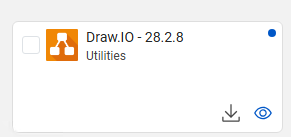
The other observation after installing v3.4.0, details about an offer only expand if the eyeball icon is selected. Is there an option to make clicking within the Offering’s box expand the same detail view?
About your observation:
“The other observation after installing v3.4.0, details about an offer only expand if the eyeball icon is selected. Is there an option to make clicking within the Offering’s box expand the same detail view?”
The sort answer is: no, cannot be done for accessibility reason.
Our UI Designer said: “The reason why we can't make the whole tile clickable is that in many cases it contains two or more separate clickable elements.”
The 3.4 new version search feature is a great improvement however the sort feature still sorts on the publisher name of the app (which is not listed anywhere in the SSA UI) instead of the application name which can be quite confusing for customers.
Hopefully this sort feature can be changed in the future, but besides that it was a good improvement overall.
Thanks, you found a bug in the sorting feature. We opened an internal defect that will be fixed in next SSA release.
Just to clarify the bug, when the software is deployed by WebUI, the sort feature does not sort on the publisher name but erroneously sorts on the ActionName/DeploymentName. Instead if deployed by Console you can specify an Offer Title and in that case the sorting works fine.
Thanks Riccardo! We would like sorted by application name, very simple. That’s what customers are looking for.
One other thing we noticed that may be a bug, is the categories are capitalized in WebUI and in the software description, but we lose the capitals in the category filter.
One thing we’re noticing in user feedback is they do not natively understand that to see details about an offer you must click the small eyeball icon. Rather the users we’ve talked with would expect clicking anywhere (other than the checkbox or the action icon) within the offers box would show the details fly-out as it did with the 3.3.3 SSA client. For the sample group this has caused some confusion on whether they should/should not take an offer or what it does.
It is far from the end of the world but that’s the biggest point of feedback we’re receiving in 3.4.0. Just curious if others are seeing this in their organizations as well.
Does anyone use custom dashboards with SSA? When we included them on Windows 24h2 the display of the page worked as expected with SSA 3.4.0. However on macOS Sonoma (both Apple Silicon & Intel) with SSA 3.4.0 the custom dashboard is not scaling correctly & act as though they are shifted right too far (can’t see the right edge of the dashboard or the scrollbar). This happens at any size window scaling in the latest ssa. These dashboards have previously displayed correctly on macOS with either ssa 3.3.3 (or earlier) or the native clientUI.
We’re gathering more information and will likely open a support case next week. Was just curious if anyone else could replicate this.
We found the same issue on the custom dashboards on macOS and opened an internal defect.We still don’t have a fix but we are planning to publish a SSA fixpack by the end of the year to include all the fixes to the new issues found so far. I case you need an hotfix earlier you can open a support ticket as usual.
Moreover, following your previous comment, we would like to re-introduce the mouse click on Offer Tile to open the detail window (we are discussing this with our UX Designer).