Hi everybody. Will be appreciate for any help to correct the actions script of custom fixlet.
The script has several errors and I don't know how to resolve them. I'm not a programmer.
To be honest, several variants give an AI, I combined them because all of them was wrong too ).
I'd like to create a fixlet to create a custom windows firewall rules. Create a form with parameters. And now I need to do correct action script to read them and create a firewall rule.

Script v1: The error in IF function prevents the file from being saved
// ------------------------------------------------
// Parameters coming from the form
// ------------------------------------------------
parameter "rule_name" of action
parameter "direction" of action
parameter "protocol" of action
parameter "port" of action
parameter "action" of action
// Normalize values for netsh
set "_dir" = {if (parameter "direction" of action as lowercase starts with "in") then "in" else "out"}
set "_proto" = {parameter "protocol" of action as lowercase}
set "_act" = {if (parameter "action" of action as lowercase starts with "allow") then "allow" else "block"}
set "_port" = {parameter "port" of action}
// Rule name (cleaned a bit)
set "rulename" = {concatenation of (characters of (parameter "rule_name" of action) whose (it is alphanumeric or it is one of " -"))}
// ------------------------------------------------
// Idempotency check - does this exact rule already exist?
// ------------------------------------------------
if {not exists lines whose (
(ERROR it contains ("Rule Name:") and it contains _rulename and
it contains ("Direction:") and it contains (if _dir = "in" then "In" else "Out") and
it contains ("Action:") and it contains (if _act = "allow" then "Allow" else "Block") and
it contains ("Protocol:") and it contains (_proto as uppercase)
) of (it as string as trimmed string) of result of command "netsh advfirewall firewall show rule name=all"}
// ------------------------------------------------
// Create the rule
// ------------------------------------------------
waithidden cmd /c netsh advfirewall firewall add rule name="%_rulename%" dir=%_dir% action=%_act% protocol=%_proto% localport="%_port%" profile=any enable=yes
// Report result
appendfile Firewall rule created: %_rulename%
copy __appendfile c:\windows\temp\firewall-custom-rule.log append
else
appendfile Firewall rule already exists: %_rulename%
copy __appendfile c:\windows\temp\firewall-custom-rule.log append
endif
(ERROR) prefetch success
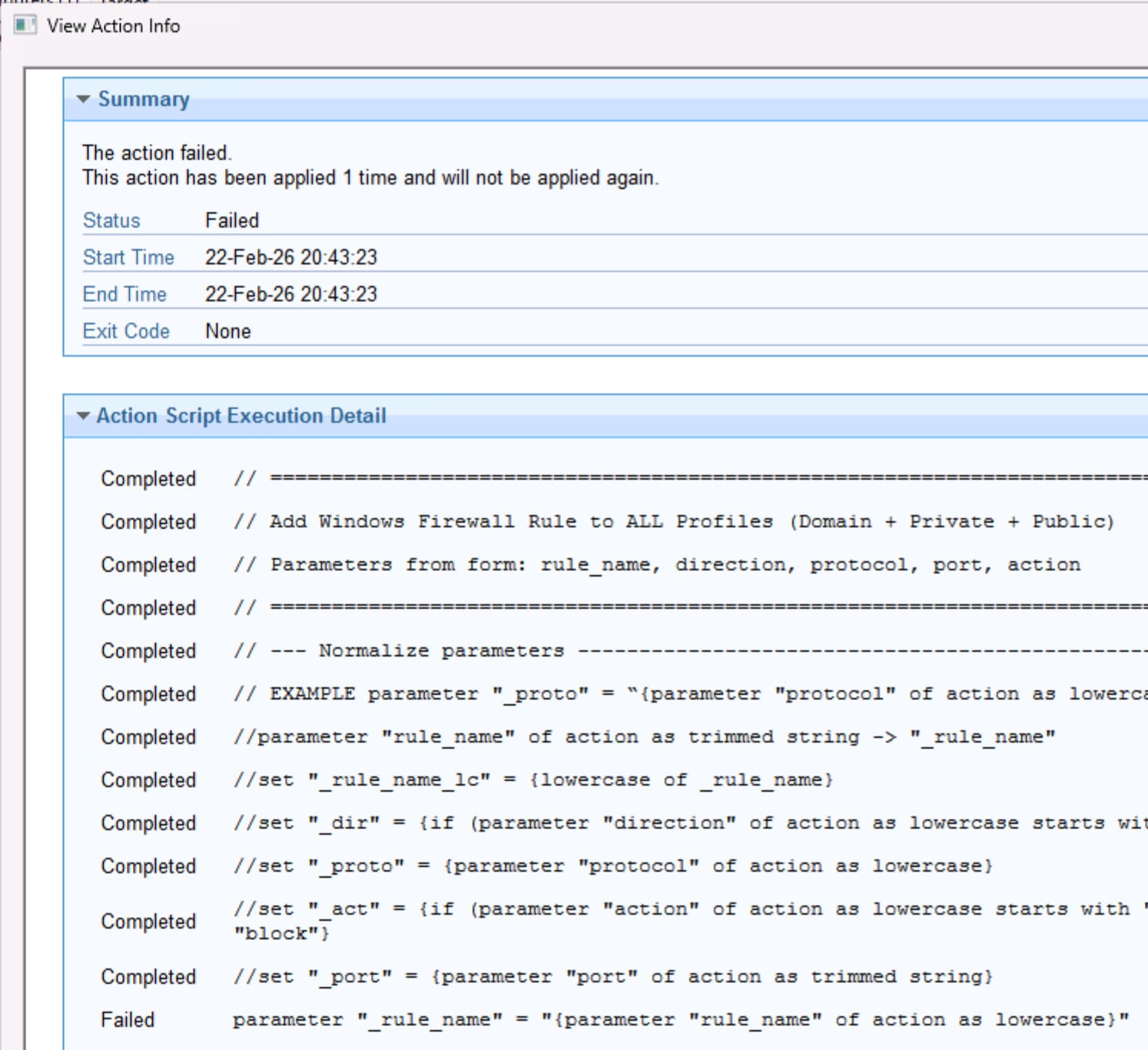
Script v2: The Fixlet saved ok, but there is an error when take action from the first string

// =============================================================================
// Add Windows Firewall Rule to ALL Profiles (Domain + Private + Public)
// Parameters from form: rule_name, direction, protocol, port, action
// =============================================================================
// --- Normalize parameters ----------------------------------------------------
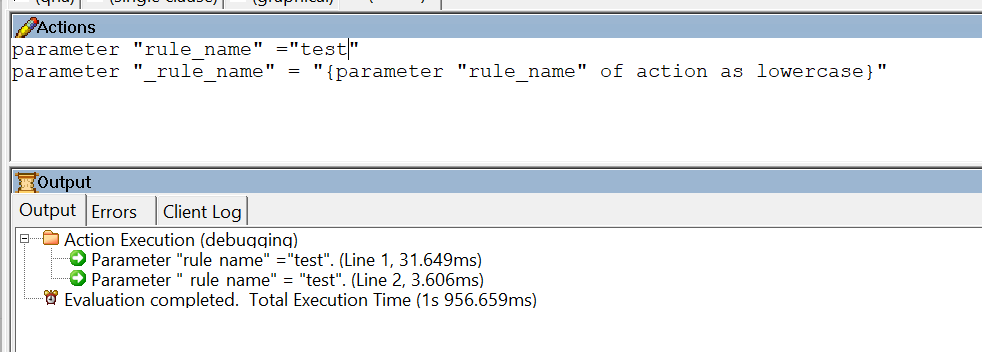
parameter "rule_name" of action as trimmed string -> "_rule_name"
(ERROR) set "_rule_name_lc" = {lowercase of _rule_name}
set "_dir" = {if (parameter "direction" of action as lowercase starts with "in") then "in" else "out"}
set "_proto" = {parameter "protocol" of action as lowercase}
set "_act" = {if (parameter "action" of action as lowercase starts with "allow") then "allow" else "block"}
set "_port" = {parameter "port" of action as trimmed string}
// --- Idempotency check -------------------------------------------------------
// If any rule with this exact name already exists skip everything
if {exists lines whose (it as lowercase contains "Rule Name:" and it as lowercase contains _rule_name_lc) of result of command "netsh advfirewall firewall show rule name=all"}
delete __appendfile
appendfile [SKIP] Firewall rule already exists (name: {_rule_name})
appendfile   Direction: {parameter "direction" of action}
appendfile   Protocol : {parameter "protocol" of action}
appendfile   Ports    : {_port}
appendfile   Action   : {parameter "action" of action}
appendfile   Time     : {now}
copy __appendfile "C:\Windows\Temp\firewall_custom.log" append
// action succeeded "Rule already exists, no changes made"
// To force "Failed" status with message (visible in console action status)
//action failed "Rule already exists, no changes made"
// To force "Successful" with custom note (rarely needed)
(ERROR) prefetch success // or just end script normally
else
// --- Create the rule in ALL THREE profiles ---------------------------
// Domain profile
waithidden netsh advfirewall firewall add rule name="{_rule_name}" profile=domain dir={_dir} action={_act} protocol={_proto} localport="{_port}" enable=yes

// Private profile
waithidden netsh advfirewall firewall add rule name="{_rule_name}" profile=private dir={_dir}  action={_act} protocol={_proto} localport="{_port}" enable=yes

// Public profile
waithidden netsh advfirewall firewall add rule name="{_rule_name}" profile=public dir={_dir} action={_act} protocol={_proto} localport="{_port}" enable=yes

// --- Log success --------------------------------------------
delete __appendfile
appendfile [CREATED] Firewall rule added to ALL profiles
appendfile   Name      : {_rule_name}
appendfile   Direction : {parameter "direction" of action}
appendfile   Protocol  : {parameter "protocol" of action}
appendfile   Ports     : {_port}
appendfile   Action    : {parameter "action" of action}
appendfile   Time      : {now}
copy __appendfile "C:\Windows\Temp\firewall_custom.log" append
// To force "Successful" with custom note (rarely needed)
(ERROR) prefetch success // or just end script normally
endif