Hi BigFix Team,
Good morning.
I manage approximately 20 computers and have reinstalled them annually for the past five years. This year, however, I would like to use a BigFix fixlet to uninstall SPSS – Windows (x64) instead of reinstalling the machines.
Could you please advise whether there is an existing fixlet for this, or guide me on the best approach to create or deploy one?
Actions:
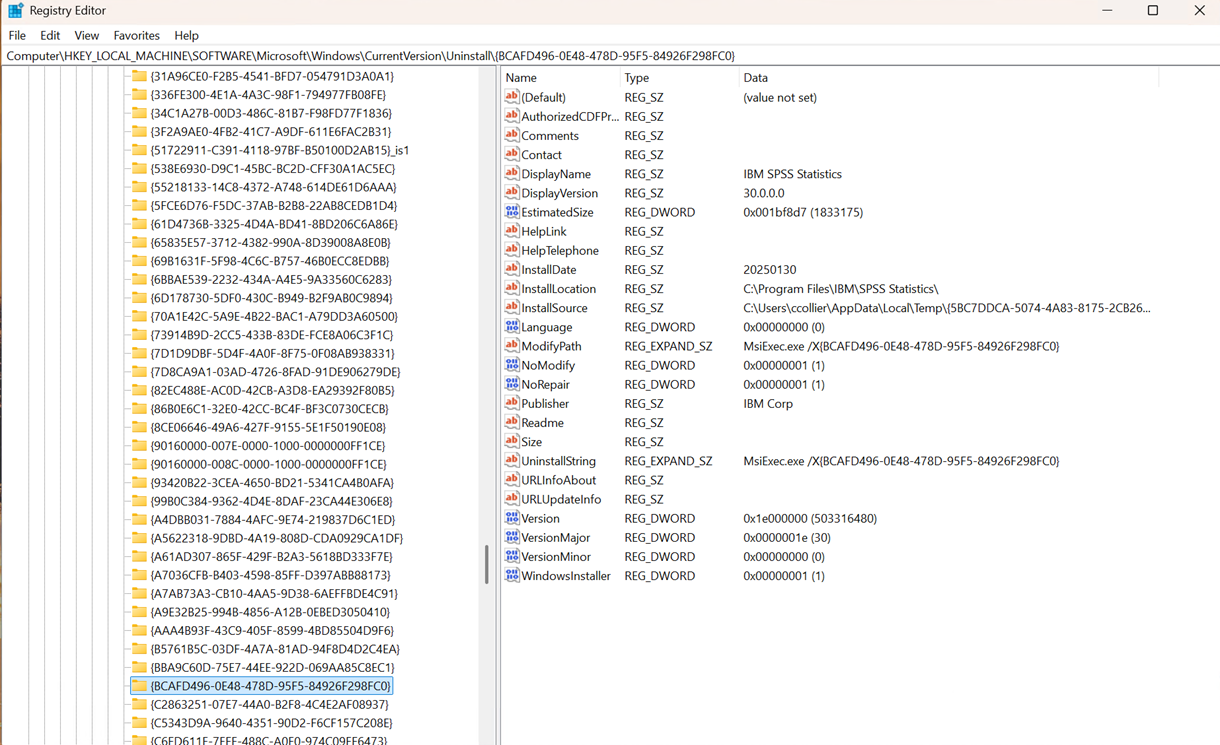
// waithidden msiexec.exe /X {BCAFD496-0E48-478D-95F5-84926F298FC0} /qn
Relevance:
| windows of operating system |
| x64 of operating system |
| exists keys whose(value "DisplayName" of it as string starts with "BCAFD496-0E48-478D-95F5-84926F298FC0") of keys "HKLM\SOFTWARE\Microsoft\Windows\CurrentVersion\Uninstall\{BCAFD496-0E48-478D-95F5-84926F298FC0" of (x32 registries; x64 registries) |
Thank you very much for your assistance.
Best regards,
Hi Kentran,
Please use this command
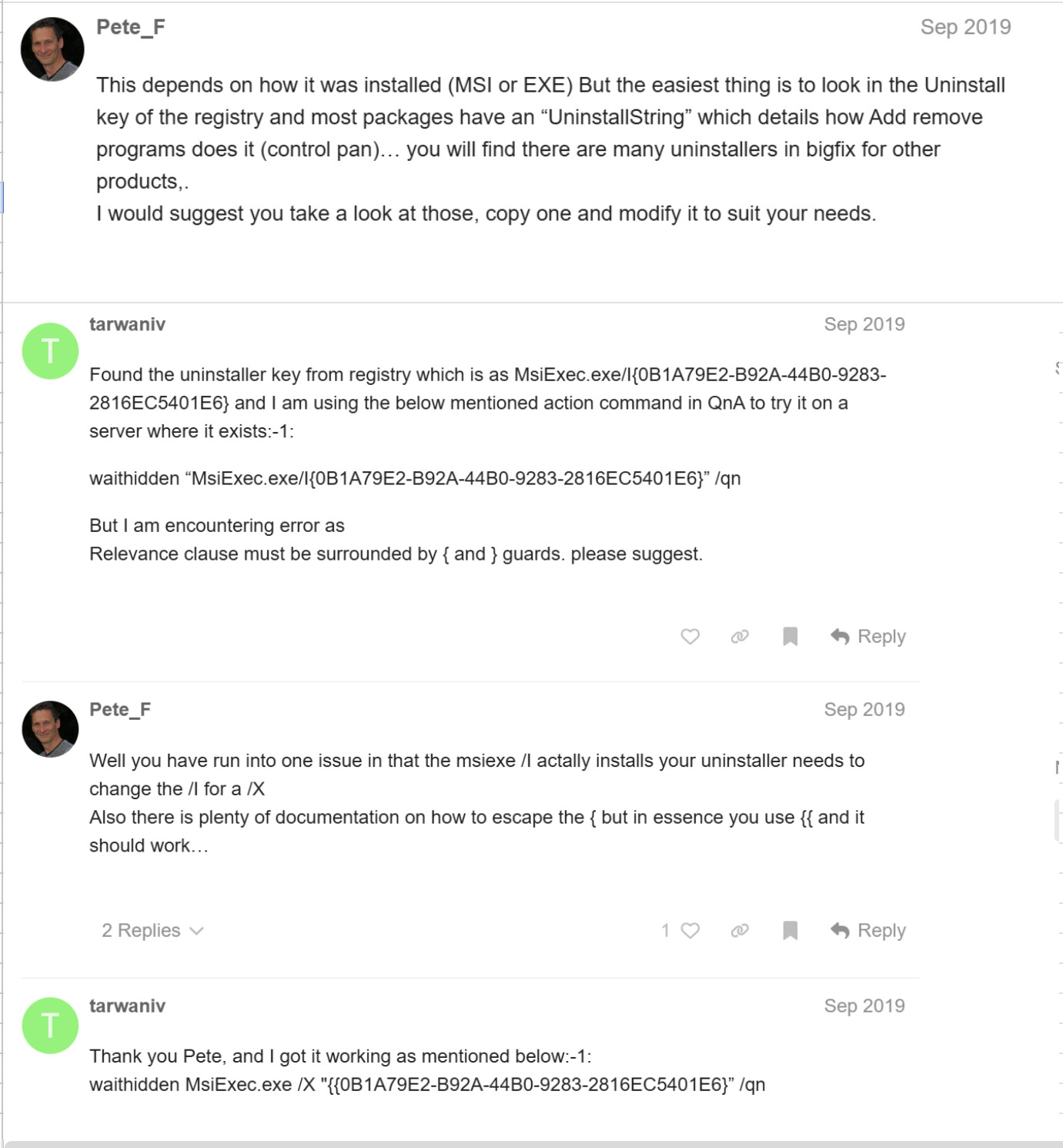
waithidden msiexec.exe /X {{BCAFD496-0E48-478D-95F5-84926F298FC0} /qn
Thanks
1 Like
Hi Abhay Sorout,
Good afternoon.
I have tried using the Script Type and configured it in our system, but it does not appear to be working as expected. Please see the attached file(s) for more details and screenshots.
Thank you for your assistance. Please let me know if you need any additional information from my side.
Best regards,
If it's a 64-bit application, you likely need to disable wow64 redirection before trying to run the command, otherwise by default the client is going to launch the 32-bit version of msiexec.
Try this
action uses wow64 redirection false

waithidden msiexec.exe /X{{BCAFD496-0E48-478D-95F5-84926F298FC0} /qn
If that is not successful, please get the exit code from the action, and attach a BESClient log snippet of the action trying to run. You may also need to try running this on a command line on one of the machines that has it installed, with or without the /qn, to see whether it gives any visible error messages as to what is wrong with the installer package. Note also there should be no space between /X and the start of the GUID.