CVE-2026-29000 is an authentication bypass vulnerability affecting the pac4j-jwt library. Versions prior to 4.5.9, 5.7.9, and 6.3.3 are vulnerable. For additional technical details about the vulnerability, please refer to the official advisory for CVE-2026-29000.
BigFix Inventory can be used to identify systems where the affected pac4j-jwt library is deployed within the environment using below custom CIT signatures. They iterate through all jars files on a computer whose names match pattern pac4j-jwt-.jar and use the version from file name to report library version and check if a jar file contains vulnerable library.
Two custom CIT signatures have been created:
- Discovery Signature (All Versions)
-
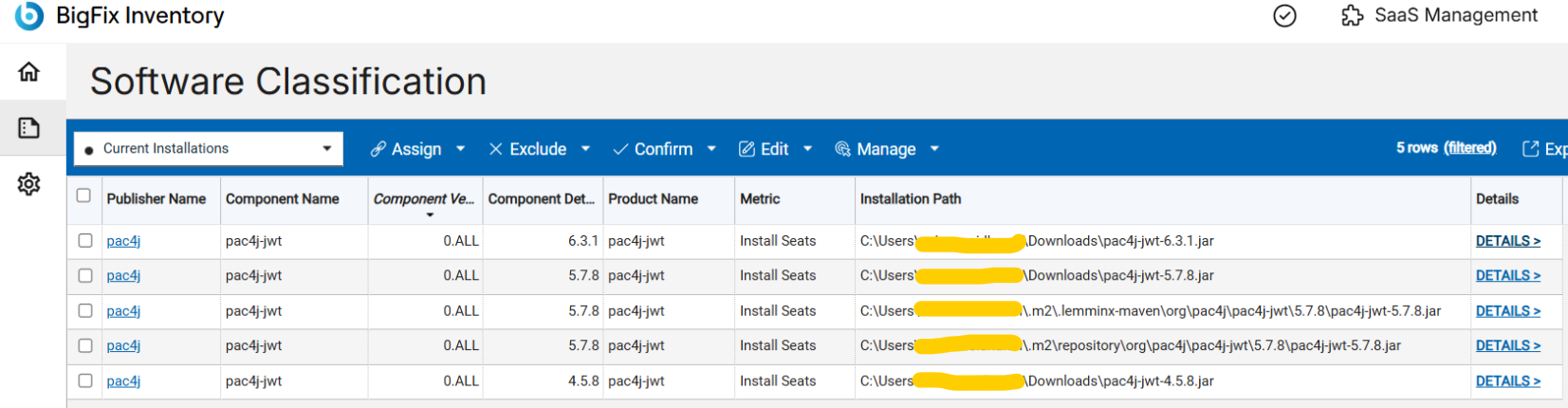
Component Name: pac4j-jwt
-
Version: 0.ALL
This signature detects all versions of pac4j-jwt. It can be used to identify where the library is present in the environment and understand where it is deployed or used.
Signature file: https://bigfix.me/signature/details/1271
- Vulnerability Detection Signature (Affected Versions Only)
-
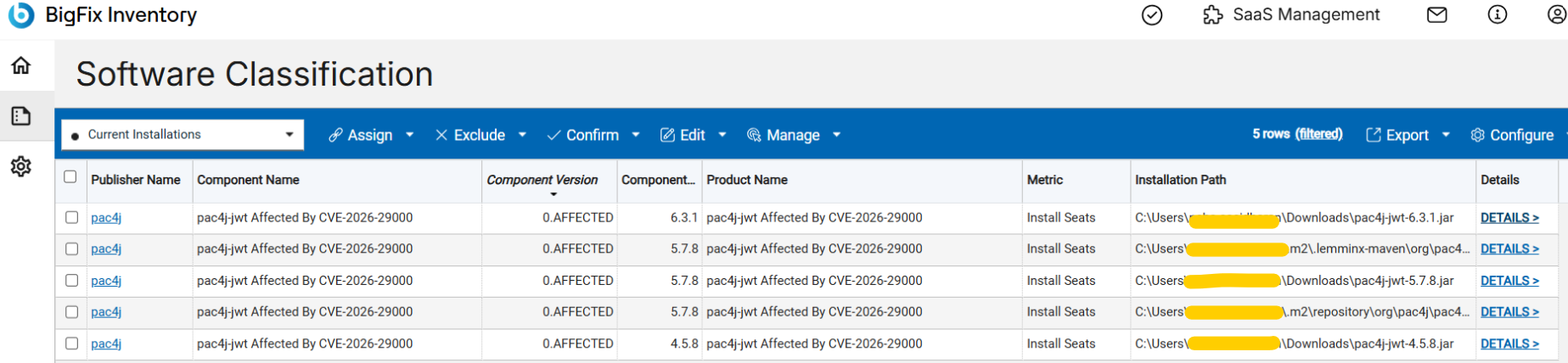
Component Name: pac4j-jwt Affected By CVE-2026-29000
-
Version: 0.AFFECTED
This signature specifically detects pac4j-jwt versions that are affected by CVE-2026-29000.
Signature file: https://bigfix.me/signature/details/1270
The process for using CIT custom signatures:
- Download the signature file from the URL provided under every type of discovery described.
- Login to BigFix Inventory.
- Go to Management → Catalog Customization.
- Import the file with the custom signature.
- Run an import process to allow the BFI server to process the signature and initiate the signature propagation to the endpoints.
- Run a software scan on the endpoints.
- Ensure the Upload Software Scan Result fixlet is running.
- Run an import process to import the scan results.
- Verify the results on the reports.
Bigfix Inventory Team