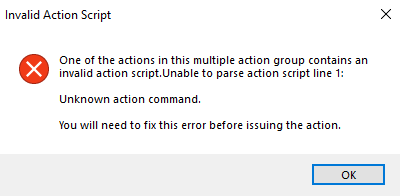
Can you check baseline for any fixlet which says “No Action selected” something like this. Or if you are seeing option to sync all components, this could be the easiest fix.
Did you choose each fixlet and add them one at a time or did you add them from a filter or something like that? I ask because if you can export them all into a single .bes file, you can open in an editor and search for "<ActionScript" and find the first line of every action script for all 97 components. You should be able to spot the issue fairly easy.
The one I had an issue with had a : on the first line.
Hopefully this session relevance will pull the first line of the action for each component in your baseline, just replace ##### with the name of your baseline.
preceding texts of firsts "%0a" of ((scripts of actions of it) of components of component groups of bes fixlets whose (baseline flag of it and name of it is "#####"))
Hi @adeilson it’s most likely caused by the following fixlet:
5076122: Safe OS Dynamic Update for Microsoft server operating system version 24H2 - Windows Server 2025 - KB5076122 (x64)
Please verify that “Action1” is selected in your baseline. We are actively addressing this issue and it will be resolved in a future site propagation. Thanks, Gus.
Hi @adeilson , this issue has been fixed in Patches for Windows, version: 4675. Please re-sync this fixlet and verify that Action1 is the default. Thanks Gus.
Hello, @gus! it was indeed this one, I had to find it manually, but I’ll be using the insights here to get to try and find quickly if it ever happens again.
I came across this problem again and I tried to develop something to find what was the problem. This session relevance below searches a specific baseline to find any components where the action script has zero line breaks (%0a), perfectly isolating the 1-line 'Audit Only' or web link actions that crash deployments with a line 1 syntax error:
(name of it, script of action of it) of components whose (not (script of action of it contains "%0a")) of component groups of bes fixlets whose (baseline flag of it and name of it is "Monthly Patching - Workstations")
If any of y'all are wrestling with the same issue, feel free to give it a try. I reckon it might not be a silver bullet for every single case, but it sure did the trick for me.