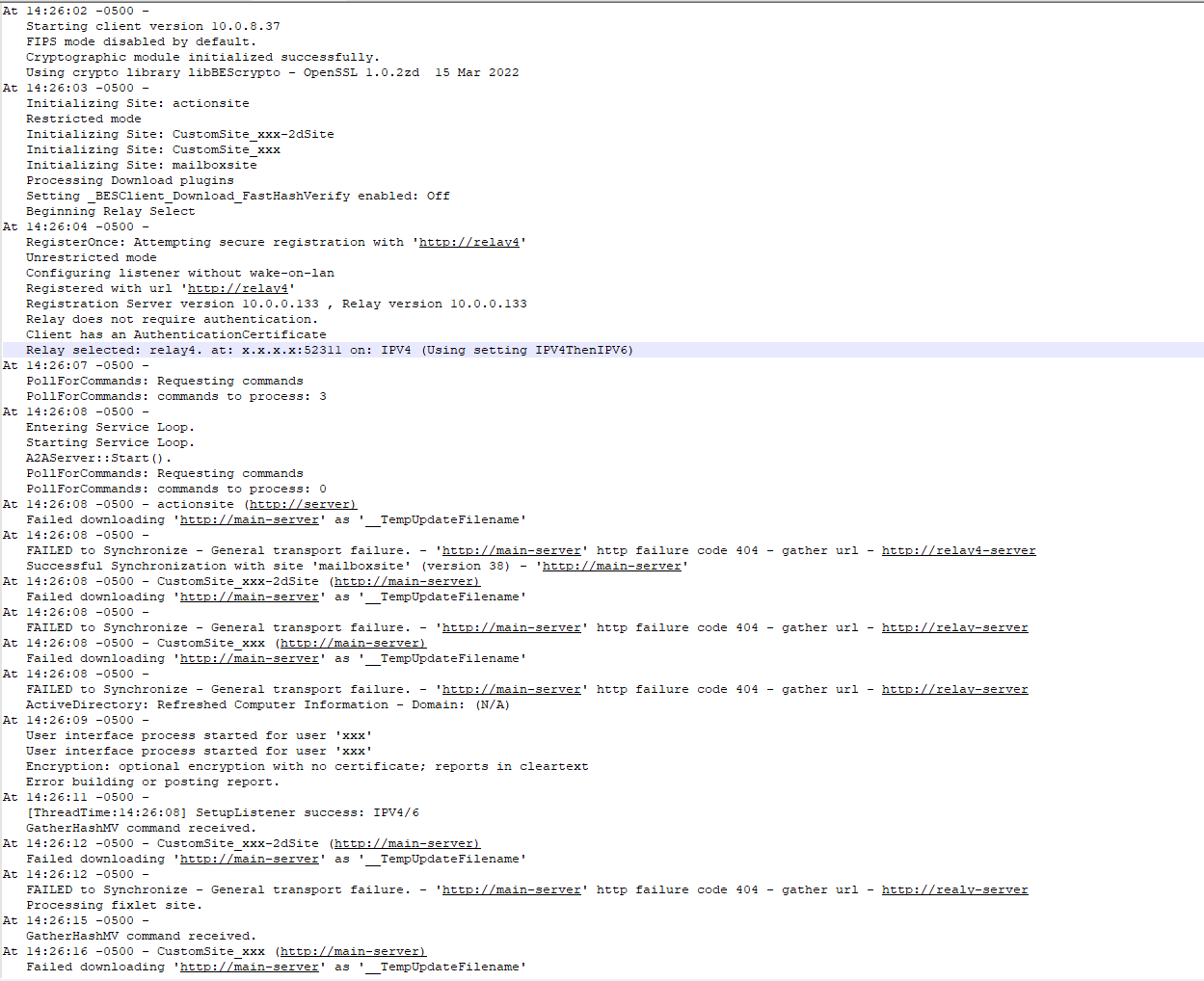
I have a particular endpoint whose logs have been giving this error message “FAILED to Synchronize - General transport failure. - 'http://xxxxxxx' http failure code 404 - gather url https://relay4. xxx””
When i search for this endpoint on the console, it shows up but the last report time is 3 months ago even when my settings on BigFix is supposed to remove all endpoints that haven’t reported in 30days. The endpoint shows on the console but has 0 relevant fixlets.
So far, I have uninstalled the BigFix agent, deleted the endpoint it from the console, reinstalled the agent again. I can ping all the bigfix relays successfully from this endpoint and I also used powershell to reach all the relays successfully through the 52311 port.
When you say the relay is pingable, do you also mean that a telnet test to the relay port is successful?
If telnet works, I would still recommend validating the full communication path with your network team. In several cases, we’ve seen issues where the relay is reachable via ping and telnet, but the TLS/handshake is broken or partially blocked, which can still cause failures.
I had a similar issue with one of the BigFIx client and performed BES agent reset post that it worked fine.
Open regedit and navigate to HKEY_LOCAL_MACHINE\SOFTWARE\WOW6432Node\BigFix\EnterpriseClient\GlobalOptions.
Delete the following values: ComputerID, RegCount, and ReportSequenceNumber.
Clear Data: Navigate to the installation directory (usually C:\Program Files (x86)\BigFix Enterprise\BES Client) and delete the __BESData
I can share you a can where clients reported 404 on some op sites - after restarting the Relay and it's Parent Relay the errors which showed on the Relay Diagnostics on the Relay resolved and everything was resolved
@olu_bandzz - yes and not, every case can be different, I mean if you can provide the actual log file, and make sure to sendor all of the sensitive information - we can help more
And if you can do that please open a support case.
@olu_bandzz Are you certain your agent is using port 52311? The URL in your original post appears to show the agent trying to use port 52411 and the URL failing is to custom site.
Side note, you may want to edit your post to remove any sensitive and host specific information
It's seems relay itself has likely failed to gather the latest site versions from its parent (or the Main Server), so when the client requests them, the relay returns "Not Found." Client is able to authenticate with relay server as per logs. Seems problem is with relay server and not with the client. Could you validate besrelay.log and see if there are any errors.
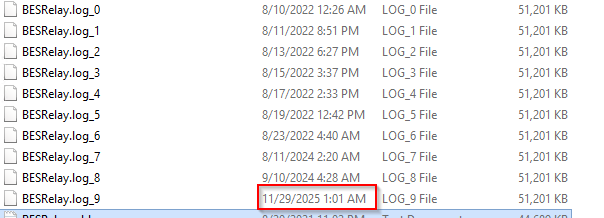
And I see a lot of “Message {HTTP Error 60: SSL peer certificate or SSH remote key was not OK: SSL certificate problem: unable to get local issuer certificate}; retrying using HTTP” on that but they are all 2025 dates.
Relay logs rotate once they reach 50MB so the one to focus on is BESRelay.log. You may want to enable relay diagnostics on that relay then hit it via its URL to see if the diags yield anything. Could well be the relay has stopped communication to its parent so it out of sync and may not be relaying on client data to the infra.
Be sure to disable diagnostics afterwards if the relay is internet facing