I have a fixlet that copies the Windows 11 source to a local directory. I use bfarchive to create a compressed version of the Windows 11 source. Then the EXTRACT command extracts the source when the fixlet runs. It has been working without an issue for several months. Now I copied the fixlet to a new custom site and now it is failing on the extract. It seems to extract most of the files before it fails.
This issue was caused because the newly created site name was to long. The name of the site where the EXTRACT command is working is 8 characters long. The new site name is 18 characters. This length went over the limit. I am not sure exactly what the limit is. After creating the new site with 8 characters, the EXTRACT command was successful.
Windows or Linux or ??
I just tried on a custom site with a 16-character site name and had no issue. I’m not sure the length of the site name is the issue.
I had a space in the site name “XXXXX Workstations”. Could that be it?
Possibly? What exactly did your extract command look like? May need to quote the filename if it contained spaces.
I’ll try to reproduce but seeing a copy of your extract command might help.
A Custom Site with spaces in the site name, should represent those spaces with underscores on the client’s filesystem:
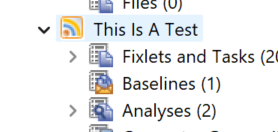
Below is a copy of the original and extract file as viewed on the client:
 Directory of C:\BES\Client\__BESData\CustomSite_This_Is_A_Test\__Download

06/23/2025  10:09 AM    <DIR>          .
06/23/2025  10:09 AM    <DIR>          ..
06/23/2025  09:29 AM             1,843 win_extract.bfa
05/19/2025  03:21 PM             5,656 win_extract.txt
This was generated by this actionscript:
begin prefetch block

add prefetch item name=win_extract.bfa size=1843 sha1=3f449bc8c3e88b1b05a586eba09bd95057cbd245 url=https://127.0.0.1:52311/Uploads/Custom/win_extract.bfa sha256=76044904c78127c8432bf70c1e130c69f6e2c0edf2396f11f7566f17b5a8615d

end prefetch block

extract win_extract.bfa
Normally we don’t need to reference the site name, directory name, or download folder with the ‘extract’ command - it just assumes sitename\Download - but I think we can also specify paths if we want to, which is why I’d want to see what your extract command looks like.
1 Like
‘extracting most of the files before it fails’ is kind of triggering as well.
Windows itself has a character length limit on paths by default; I think most of my test systems have that length removed, something that can be done with a registry edit that Python installers tend to do by default.
I’ve seen cases where a few Microsoft installers only work when executed from a root directly. I think it might have been Visual Studio or something like that, which had a really deep directory structure that didn’t work when you stick Program Files (x86)\BigFix Enterprise\BES Client\__BESData\CustomSite_Sitename\Download in front of it because it was too long.
I wonder whether your specific package has such a deep directory structure on it that is right at a limit where your 8-char site name is ok but your longer site name combined with the archived directory paths become just too long?
It looks like the path name length is 256 by default.
It looks like the longest path with this package is 200 characters. So, I don’t know how it got over 256 characters, but it must have.
C:\Program Files (x86)\BigFix Enterprise\BES Client__BESData\CustomSite_xxxxx Workstations__Download\Windows 11\sources\dlmanifests\microsoft-windows-ie-clientnetworkprotocolimplementation-migration