Was looking to add a “custom” field to use for grouping to different teams, but seems it’s grayed out? Is this a permission issue or am I going to the wrong place to do it?
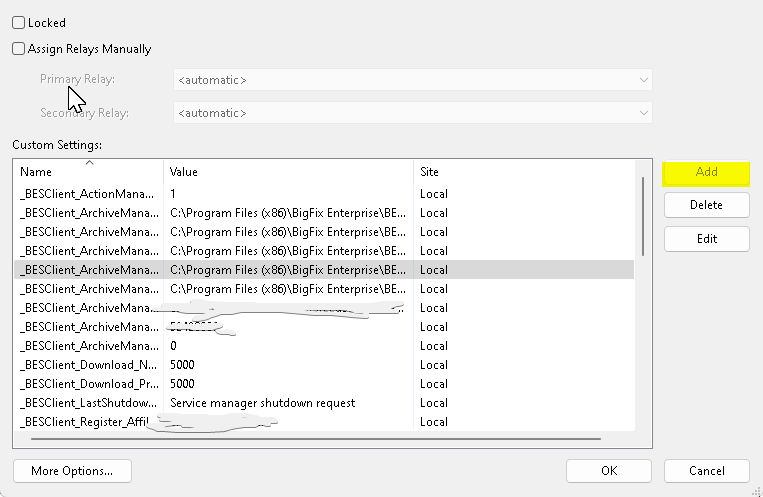
Yes, it looks like a permissions issue.
Under your operator account, which computers do you have assigned? Make sure you have the rights to manage the system you want to change.
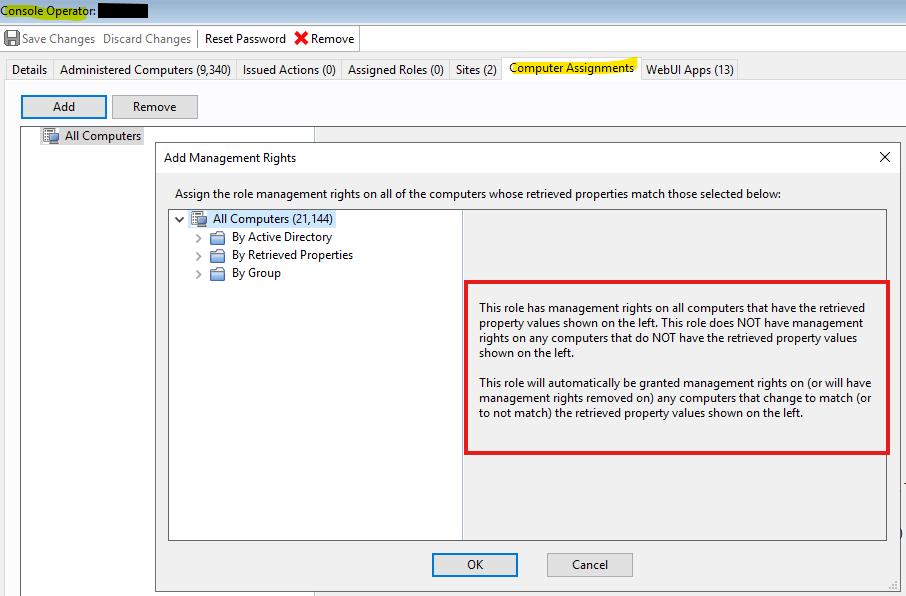
That looks normal in my experience. My daily account is everything but Master Operator rights, and I can’t add a new client setting.
Instead you can use a Task/Fixlet.
Actionscript
setting "My_Client_Setting" = "True" on "{now}" for client
1 Like
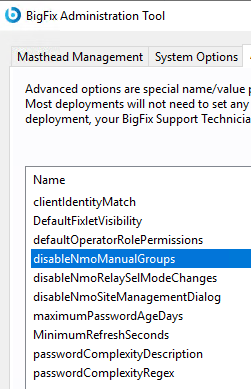
I believe @DerrickD is correct. This function may only be available to Master Operators. I also checked my advanced settings and do not see any that will disable being able to add a new property.
A Task/fixlet is always cleaner. There is an issue in which creating a property through the Edit Computer Dialog, as a Master Operator, will cause that property to duplicate in the Manage Properties dialog.
To avoid this, I have a strict rule, our users can’t edit a computer (MOs included), they must use tasks and fixlets and if they can’t do that, they need to reach out to a Master Operator.
1 Like
Permissions made sense. Thanks for the answers! Honestly really helpful. My goal is to have a ‘custom setting’ for all machines that is used for “patch only” vs “patch and reboot” basically so not sure I could do an action script for every server? I might not understand how it would be used for 1000s of servers? This is used for patch cycling basically.
Also using a Task/Fixlet also ensures no one accidently fat fingers the setting or value. I know I’ve done that before 
While applying a client setting requires an action, there is no impact to the client. No reboots, etc.
You can either select individual clients and push out the setting but obviously some can get missed especially in larger and diverse environments.
I would recommend the value be dynamically generated. As an example, which I highlighted in a recent thread (Separate Dev, Test & Prod as Automatic Groups Options - #6 by MatthiasW), it’s possible to add a .JSON file to a site that is then distributed to all clients. Next have an open policy action that is created by a task that uses a combination of relevance and actionscript to set the value from that .JSON file. If a value is not found in the file, you can then choose a default option so that you are sure ALL clients have a value.
Plenty of ways to do it, so have to dig in a bit with an engineers hat to see what works for your org/team.
1 Like