We have frequent audits and I need to understand BigFix’s data retention. If an action is deleted from the BigFix Console, are its historical results still queryable directly from the database (e.g., for audit purposes)? Or does deleting the action also remove all associated result history?
Edit: Also, another question, can I improve BigFix’s performance by deleting data on both console and database? Or just the on the console should be fine?
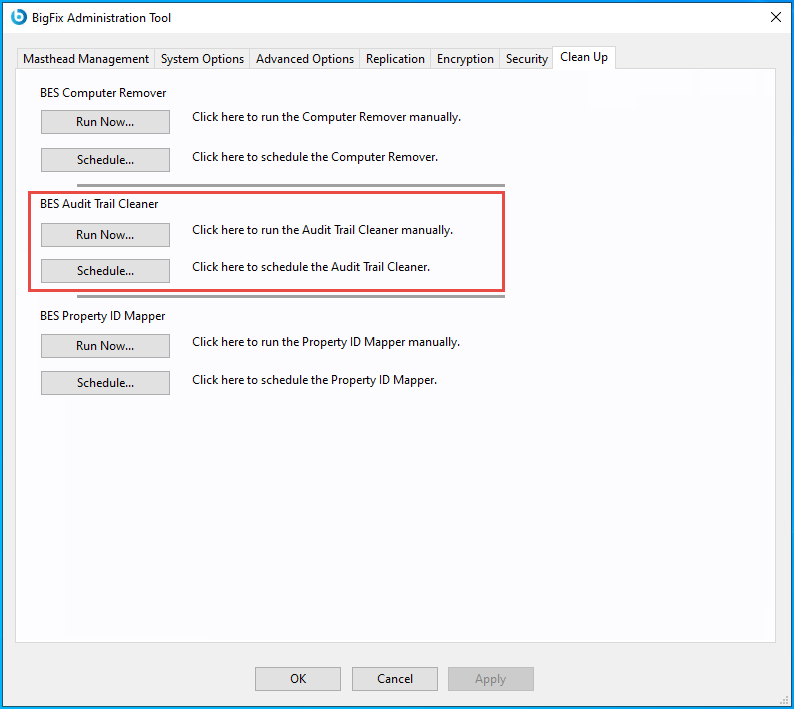
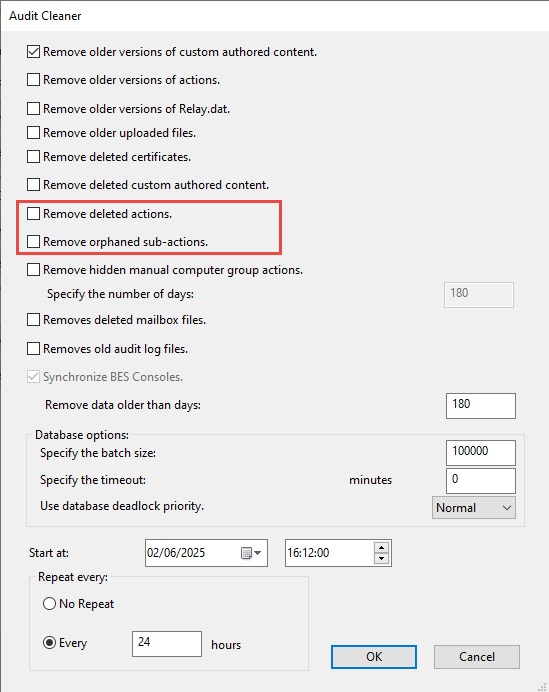
Deleting actions will change the value of the “IsDeleted” field in the DB table from 0 to 1, however, the data will still exist until you run the audit trail cleaner feature in the BESAdmin.exe. It is a good idea to run this periodically to prevent the DB tables growing to where things then take longer to run, such as daily table defrag. If your company has a data retention plan, I would think about creating a weekly schedule to clean up deleted content that is over x days old.
This depends on how your BES Administration Tool is configured, specifically the BES Audit Trail Cleaner settings. When an action is deleted from the BigFix Console, its data (including results and metadata) remains in the database until the Audit Trail Cleaner is run and removes it, based on the defined retention period.
If the Audit Trail Cleaner has not run yet, historical data remains queryable in the database for audit purposes. However, once the cleaner purges that data, it is permanently removed and cannot be retrieved from the database.
You can adjust the retention period in the Audit Trail Cleaner settings to retain historical data for a longer duration. However, increasing this period will result in a larger database size, which may impact performance. It’s advisable to balance your organization’s audit requirements with potential performance implications. For optimal retention settings and performance considerations, consult HCL Support or refer to the official documentation.
Yes, deleting unnecessary or outdated data from the BigFix Console and allowing the Audit Trail Cleaner to purge historical entries from the database can improve overall performance. Fewer items in the Console reduce cache load times and improve UI responsiveness. Similarly, a leaner database contributes to faster queries, improved index performance, and reduced downtime during maintenance tasks such as re-indexing or backups.
If you need to support long-term audit requirements, relying solely on the BigFix database may not be ideal, especially since the Audit Trail Cleaner will eventually purge historical data. To retain and report on this information over time, you should consider one of the following approaches:
Automated Data Export via REST API: Use the BigFix REST API to regularly export required action data and store it in external files or a dedicated audit repository.
Integration with a Reporting Tool: You can build a data lake by regularly exporting data via the REST API and storing it in a structured format. This dataset can then be ingested by reporting tools
Create a Secondary Audit Database: Implement a scheduled job (e.g., SQL Agent job) that pulls incremental data from BigFix tables into a separate database before the cleaner removes them. This ensures audit integrity and offloads historical storage from the main BigFix DB.
One other consideration, If you haven’t run the cleaner, you may have a lot of old actions that have accumulated and if that is the case, it could be wise to start deleting actions based on age in batches, eg say first do actions over 3 years, then 2 years etc. As much as the cleaner can split these into batches based on count or timeout, you may get better control managing the batches yourself until you have a manageable number (really depends on your deployment size and its age).
You can use a SQL query to see how many total deleted actions you have
SELECT count(*) FROM [BFEnterprise].[dbo].[ACTIONS]
where IsDeleted = 1