As part of a larger script, I’m using PowerShell to kill processes with a specific file path:
$(Get-Process "firefox" | Where-Object {$_.Path -match "AppData"}).Path > C:\paths.txt
Get-Process "firefox" | Where-Object {$_.Path -match "AppData"} | Stop-Process -Force
Line 1 is for troubleshooting, so I can verify Get-Process is seeing something to stop
If I run a fixlet with Script Type set to “PowerShell”, it runs fine: paths.txt is populated with the “to-kill” Firefox processes, and then the processes are properly quit.
However, if I run a fixlet with the above lines inside a .ps1 file (with '{'s escaped), it fails.
delete "__Download\killfirefox.ps1"
delete __createfile
createfile until _EOF_
$(Get-Process "firefox" | Where-Object {{$_.Path -match "AppData"}).Path > paths.txt
Get-Process "firefox" | Where-Object {{$_.Path -match "AppData"} | Stop-Process -Force
_EOF_
move __createfile "__Download\killfirefox.ps1"
waithidden powershell.exe -executionpolicy bypass -File "__Download\killfirefox.ps1"
The script creates an empty paths.txt file, and it does not kill any Firefox processes.
If I run the .ps1 that was deployed by BigFix locally, as SYSTEM, the script runs successfully.
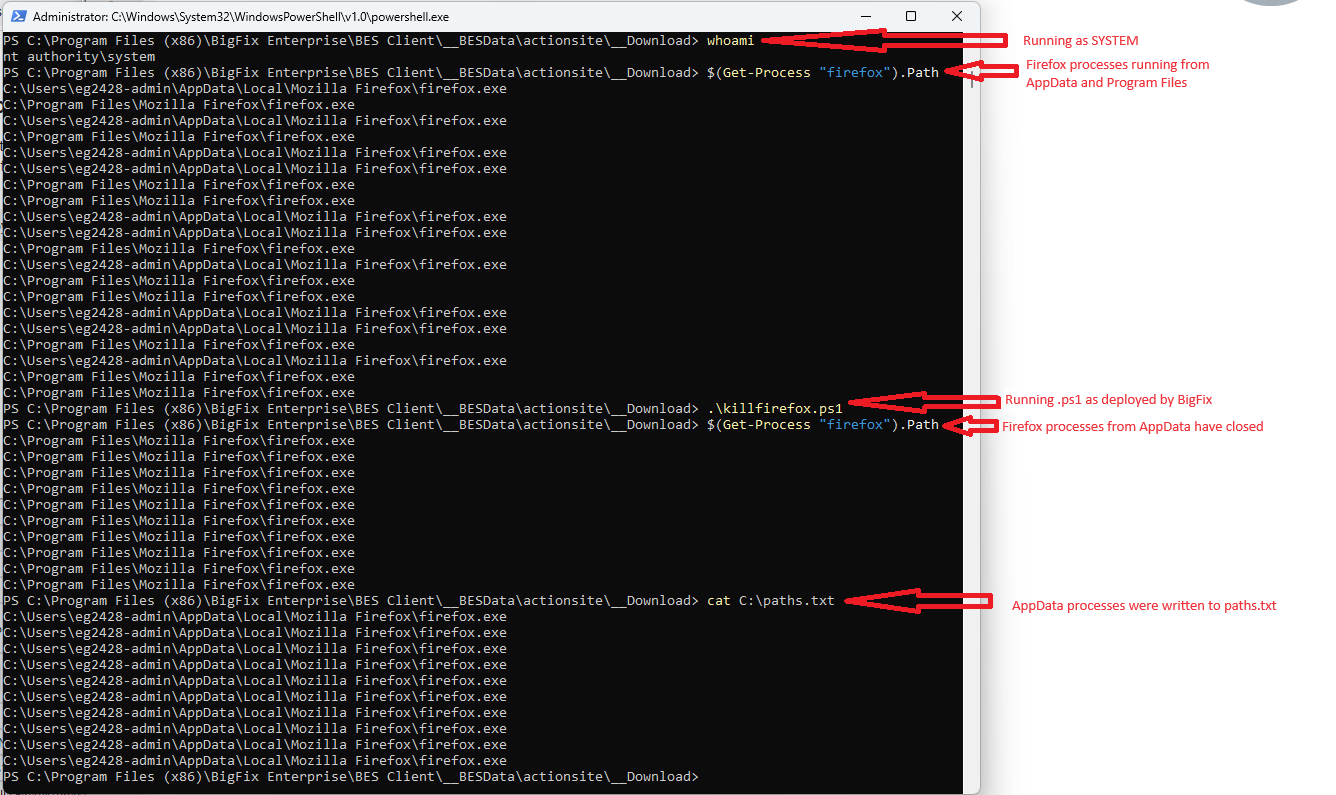
I’m confused as to what’s happening. The script, as deployed by BigFix, seems fine, and runs successfully from SYSTEM. It only fails if BigFix creates the .ps1 itself. I’ve tried both move and copy when transferring from __createfile to the .ps1 with the same results.
I’ve tried this on two computers, one running Windows 11 and one Windows 10, and saw the same behavior on both.
Am I missing something obvious? I feel I must be.