Hi. I’m very new to bigfix and have a question. In our environment, the techs use the remote control via the broker. The client is pre-installed on all workstations, but not started by default. So, we have to walk the end user through starting it, then finding the icon in the system tray, clicking on it, and entering the connection code to make the connection.
Is there a way to make an icon/shortcut we can drop on the desktop that would allow the end user to launch the client and have it pop-up and request the connection code - so double-click and you’re there?
I know we can send them the URL provided from the broker session, but that doesn’t allow the connection of the smartcard (which we use), not sure why.
If there is already an existing shortcut somewhere in a fixed location across all the systems can copy the shortcut to “c:\users\public\desktop” on any Win7 + workstation. If not can create one and upload it as a file to Bigfix and copy the downloaded file to the same public desktop location.
I may have not explained my question clearly. I know how to get the shortcut to multiple desktops. I’m having issues with finding any reference on how to make a shortcut that does what I’m asking:
make an icon/shortcut we can drop on the desktop that would allow the end user to launch the client and have it pop-up and request the connection code - so double-click and you’re there?
Is there a way to do that (can you launch the bigfix remote agent from a command line and have it prompt for the connection code, without the agent being started first)?
Hi lewisdw,
Just a preliminary question: Is there a specific reason for not leaving the Target service running by default ?
The service need to be started in order to run the Target GUI. The service is responsible for spawning the trc_gui process which handle (among other UI aspects like the systray icon) the connection code panel. You can’t run the trc_gui manually because it need to communicate with the service (trc_base process).
There is no shortcut or other mechanism to automatically open the connection code panel but it can be easily implemented. I can submit this as “request for enhancement” and maybe it will be implemented in the next patch/release.
So your request is: “I want to start the Remote Control Target service and see the connection code panel automatically prompted”. Is this correct ?
In the meanwhile you can reduce the number of clicks by putting the Remote Control Target icon as always visible.
In the taskbar settings select “Select which icons appear on the taskbar”
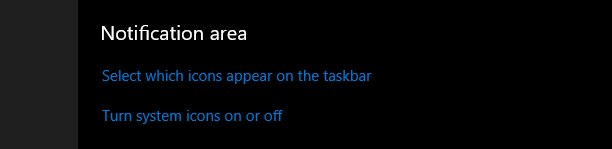
Then toggle the line which is referring to the Target

You should see the tray icon by default and be able to right click on it → select “enter connection code” in just two clicks.