Hi Team,
Bigfix v11
I have created the manual groups and added servers in it in computer group section.
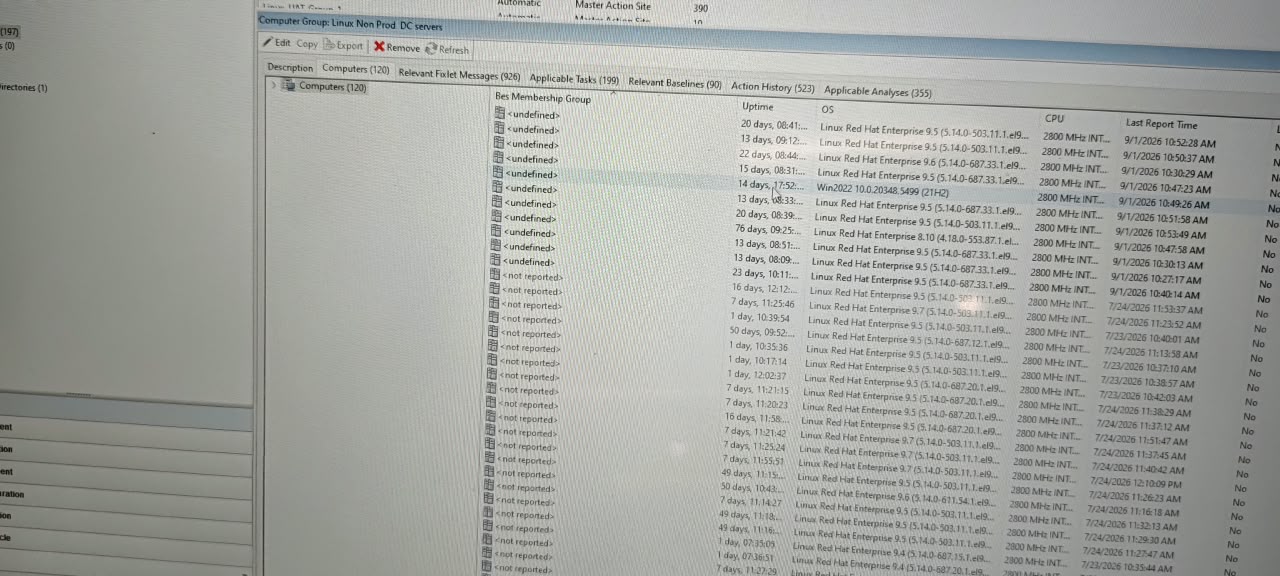
But In computer section, Manual group name is not displaying. It shows unknown or undefined
Please any one help me.
Thank you.
Hi Team,
Bigfix v11
I have created the manual groups and added servers in it in computer group section.
But In computer section, Manual group name is not displaying. It shows unknown or undefined
Please any one help me.
Thank you.
Can you share screenshot, hide computer names just to see the exact error message
Also try clearing cache of console or run a report via webreports
Consider that when you add a device to a manual group, it appears immediately as group member (even if the action that actually creates the group has not yet completed on the client); I understood you added a column on the computers view that shows the manual group name: if so, you have to wait for the computer to report before viewing the correct information.
Is this computer group created with master operator or with nmo rights. I will keep checking more on this error message
It was created with masted operator only.
Also click on edit option on the computer group and ensure in group membership first option is checked which is Determined solely by console assignment instead of client settings
What's the best membership property. I skipped that entirely. My fault. There is no issue with manual group. It's the BES membership property which is created. Are you getting results for other computers using this property
No, not any computer reflecting with computer group.
Relevance
“name of manual group of client is true”
In case you do not need it you can remove it, but yes this property needs to be remediated with proper relevance.
name of manual group of client is true is throwing “Singular expression refers to non-unique object” error at my end
It should have plurals
If possible cloud you please provide the relevance. Which may already using.
exists manual groups of client
this is tested and it will return value true or false
Hope it's fixed now?
Hi,
Still it showing same error.
On all computers or few?
For all computers it's not working.
Would it be possible to run bes web report using this property. Alternatively If you can check for bigfix logs as well.
Same was working at my end. I have created in Master Action site
Yes, It was working for web reports.
I will check logs and alternative methods too.
Thanks for your support.
It should work then. Clear cache of your console once.
After clearing caches it's working.
Thank you.