How can we get to know how many certificates is going to expire in the whole network/environment irrespective of servers
Do you mean client certificates?
In this case there is the analysis #5142 “Client Certificate Information” in BES Support.
1 Like
SSL certificate information and expiry date

Ok Just to clarify… Are you referring to interrogating the certificate store on the server and identifying certificates that are going to expire? Or are you talking about the BigFix client certificate?
1 Like
If you are looking for all certificates on your servers in the certificate store then i’d recommend looking at what C3-Inventory/Strawgate did quite a while back. This is probably the best that i’ve seen for addressing collecting this information and having it in a usable format for reporting on it in Webreports. There is a Task that is deployed and you can have it re-run at whatever interval you choose, then an analysist that reads in the results so that it can be reported on in the future.
C3-Inventory/Analyses/Certificates - Windows.bes at master · strawgate/C3-Inventory · GitHub
2 Likes
Thank you ,I will check and confirm
the analysis has expiring in 30 days,7 days and 1 day.
how can we get certificate expiration date ?
Add a property to the Analysis to display the expiration date explicitly:
Relevance would be something like: (values "subject" of it, value "Not After" of it) of keys of keys "HKEY_LOCAL_MACHINE\Software\C3 Inventory\Certificate Store\LocalMachine\My" of native registry
1 Like
Thank you, I will check and update
There is a property in the analysis called ‘Certificates - My Certificates - Windows’ that you could use for reference if you want to customize it for other data or additional repositories beyond the LocalMachine\My (Local Computer) Certificates.
(values “issuer” of it, values “DNS” of it, values “subject” of it, value “Not Before” of it, value “Not After” of it, values “Usage” of it, values “Friendly Name” of it, values “Serial Number” of it) of keys of keys “HKEY_LOCAL_MACHINE\Software\C3 Inventory\Certificate Store\LocalMachine\My” of native registry
1 Like
I have tried the above relevance, but the expiration date is not showing.
How would you determine this without BigFix? We can help you deliver a script across your estate if you have one that can produce the output you want, but tracking every certificate for every product on the machine is not something we provide out of the box.
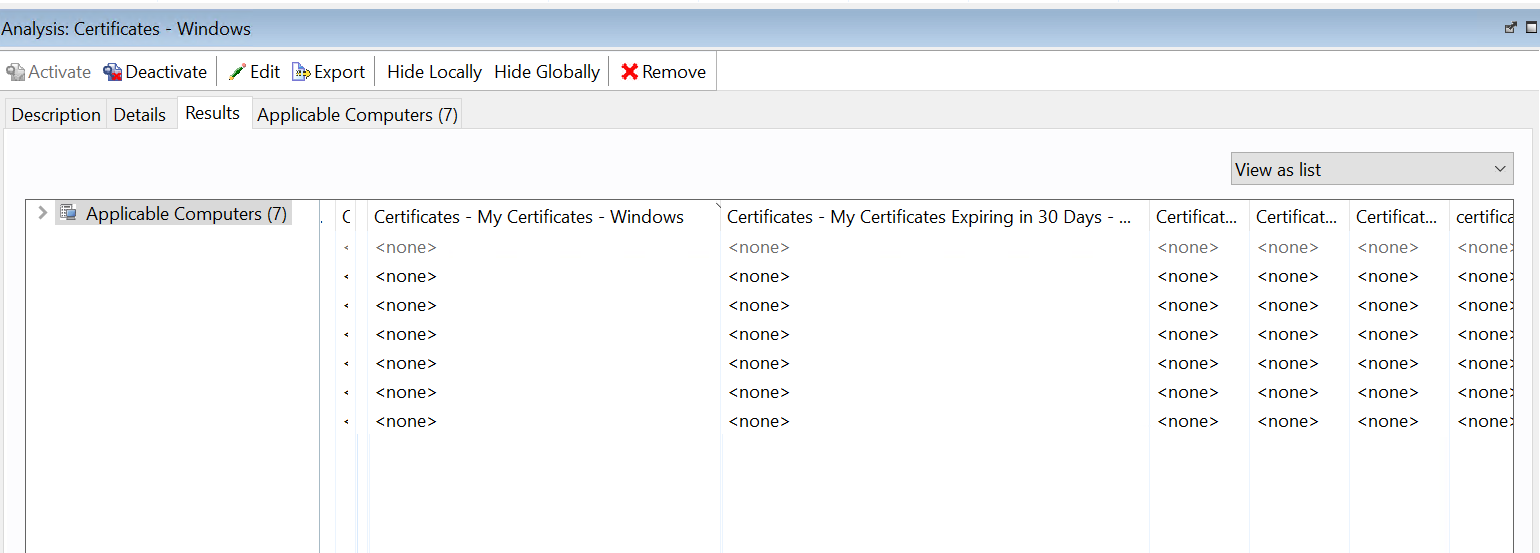
I’m afraid I don’t know what you’re trying to report
With reference to what was linked above at Certificate expiry - #6 by Jstev – have you executed the Task associated with this? It looks like this Analysis is to read the output after executing the Task (and you will need to re-run the Task periodically to get updated certificate infromation)
@ark FYI - this content is 8 years old, and it is possible that it’s not looking in the right places for certificates.
Hi Jason,
I have executed the tasks and check the analysis report.
Is it possible to get certificates expiration date?
@ark Have you checked those machine’s registries? On 3 of my 4 test machines, the Invoke script doesn’t create the My key in the Registry, so the data that the analysis is looking for is not present, hence the result as seen in your screenshot above.
Do your test machines have any certificates to discover? If they don’t exist, the script cannot find them.