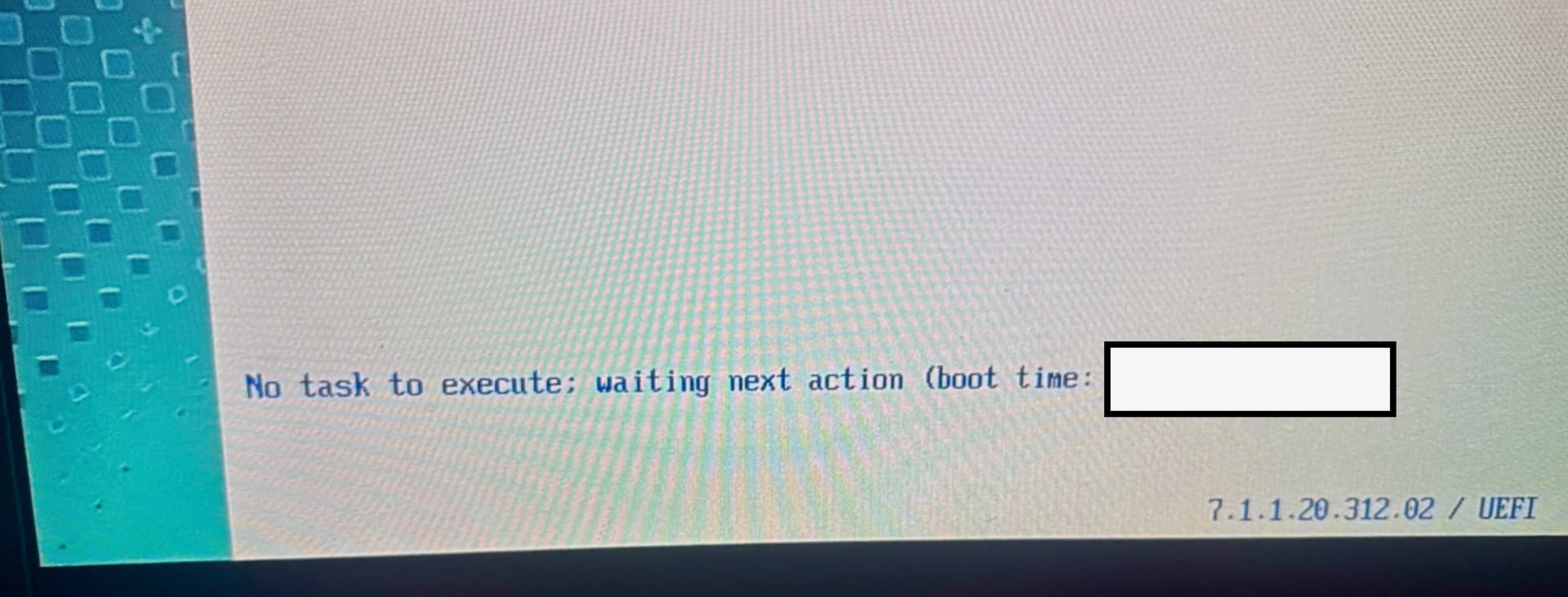
Curious if anyone has ran into an issue where machines are PXE booting into a blank Binding menu with no profiles? We have 2 OSD servers, one images to completion no problem, this second OSD server is stuck on this screen, profiles are fully synced and mirrored to our other OSD site. AFAIK, no DHCP config (with PXE server parameters) specified but its been working just fine for years. The only change implemented was introducing a new 25H2 image that fully works normally on the 1 OSD server/site.
We’re in an HP Elitebook environment, not sure where to find the logs on the OSD server as to why it is showing a blank menu. Server is 10.9 but we plan on upgrading soon
A blank Binding menu usually suggests the PXE client isn't receiving or loading the deployment profiles correctly, even if they appear synced. Since the other OSD server is working with the same image, I'd compare the PXE/TFTP configuration, binding assignments, and any recent changes to the affected server rather than focusing on the 25H2 image itself. It may also be worth checking the OSD server logs and verifying that the required services are running properly after the last update or reboot.
I got this same error/issue and it turned out to be a plethora of blocked ports of both TCP and UDP. Ports 500 -UDP, 4012 - UDP, 4013 - TCP, and 8081 - TCP. Might want to test those or look in your traffic log if you can.
HCL support was a HUGE help, basically it turned out to be that BigFix tends to keep track of the deployment process/status based on Serial IF a device unexpectedly reboots.
In the support call, it was suggested to log into the local OSD server (RDP into the host, then 127.0.0.1), go to device monitor on the lefthand side, find the device by serial number, right click and delete.
Ive found that its easier to reset the bare metal target from the console, but 1 times out of 10, I would need to log into the OSD WebUI to reset it. 1st, finding the proper machine name by searching device serial in “Computers” list, then finding the “OSD Bare metal reset” fixlet and applying to that specific machine will bring up the profile list again.