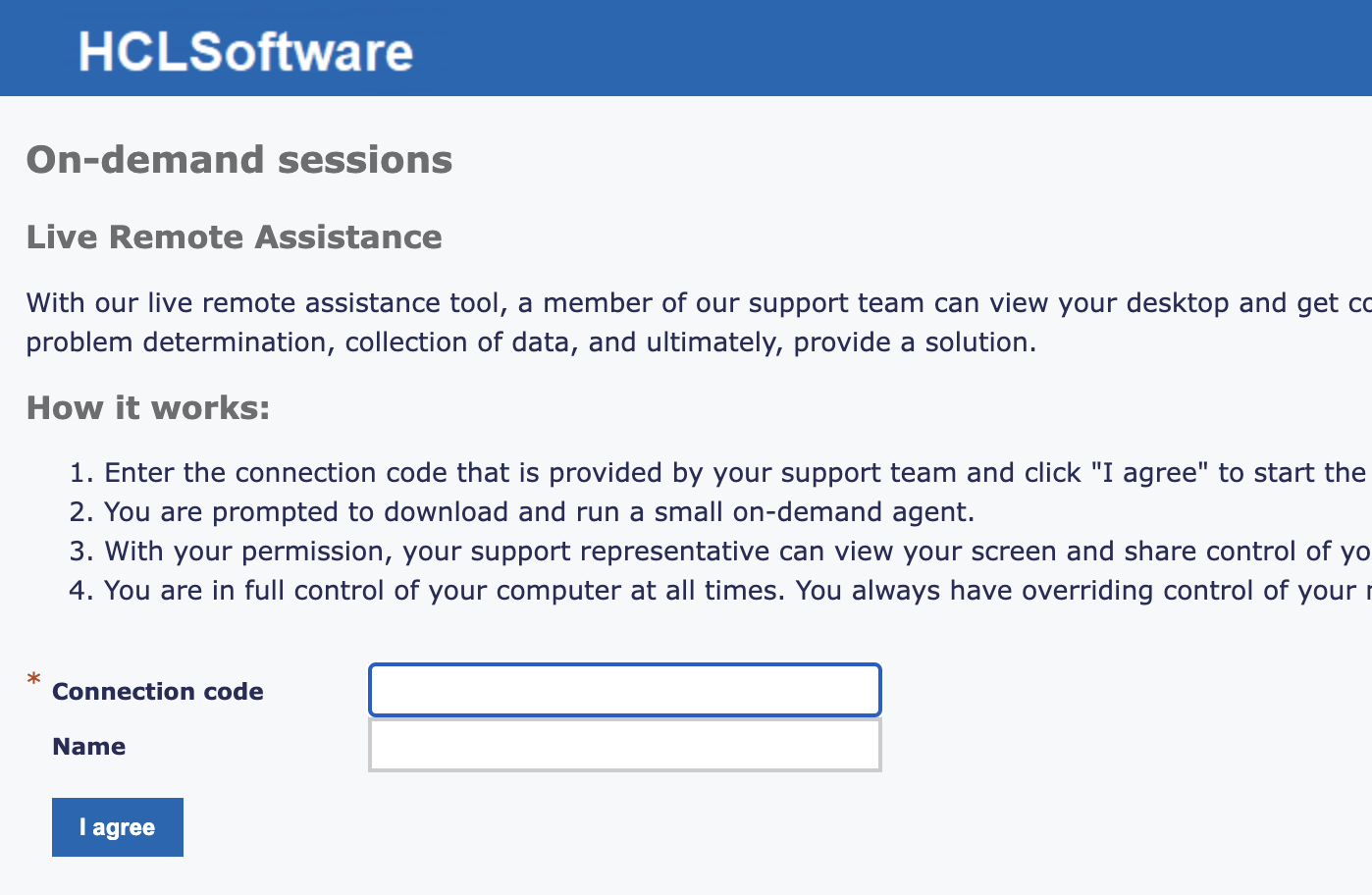
Our support team’s workflow includes over-the-phone support when a customer does not have access to email/chat. This can cause delays when sharing the Remote Control URL to our proxy. The Remote Control Server has an OnDemand landing page that’s perfect for adding a connection code that’s shared while on a call. However, this URL is not available when the target computer is off-network. Is there an option to have this same type of page be available to all client from the proxy or broker?
Hi mkearns,
Yes this is perfectly feasible. The Broker can be configured to act as a reverse proxy on the same port already configured for the endpoint connections (the port that you specified when you added the Broker to the list on the RC server webui).
You just need to add these lines to the configuration of the Broker that you want to use as reverse proxy:
https.ConnectionType = InboundHTTPS
https.PortToListen = 443
As I said you can specify the same port you already configured on the Broker or another port. In this case this port must be specified in the next step.
Next step is to modify the ondemand url from the RC server webui by opening
Edit properties file → ondemand.properties → ondemand.url
The URL must be changed to this one:
https://<broker_host>:<broker_https_port>/index.jsp?conncode=%c
Submit and you have done.
Next time that the URL will be generate it will contains the Broker hostname and this will be used to open the On-demand portal. Since the Broker is normally a public facing instance you will be able to access this page also from internet.
If you want to access a computer on internet and you don’t want to use a connection code you can also use the Unattended mode.
1 Like