I have been going through a dozen different posts in the forums trying to find the answer. I am coming up with two problems, one of which is an error.
I copied and pasted the following command in qna, from a post that @JasonWalker previously replied to.
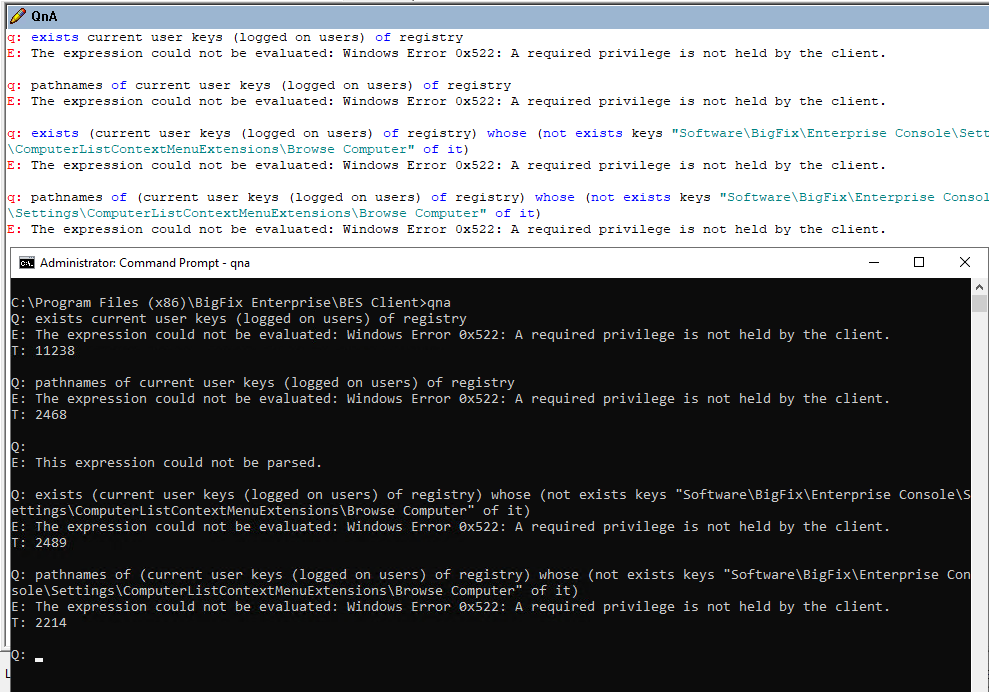
q: exists current user keys (logged on users) of registry

q: pathnames of current user keys (logged on users) of registry

q: exists (current user keys (logged on users) of registry) whose (not exists keys "Software\BigFix\Enterprise Console\Settings\ComputerListContextMenuExtensions\Browse Computer" of it)

q: pathnames of (current user keys (logged on users) of registry) whose (not exists keys "Software\BigFix\Enterprise Console\Settings\ComputerListContextMenuExtensions\Browse Computer" of it)
These are the answers I got, both in the fixlet debugger and with qna
We were going to turn it off a long time ago but I believe we ultimately decided to leave that in the control of users because so many people were wanting to switch to the new outlook client (don't ask me why, I dislike it). These are what we keyed off of, but we were using user key of current user instead of using HKEY Users which is probably the better way.
//This key will remove the Use the new outlook toggle
exists current user and (not exist (key "Software\Microsoft\Office\16.0\Outlook\Options\General" of (user key of current user) ) whose (exist value "HideNewOutlookToggle" of it and value "HideNewOutlookToggle" of it as integer = 1) )

//This looks at the preferences of the current user for whether or not they have selected to use use the new outlook client so that we don't change someone who wanted to move to the new outlook.
not exist ((key "Software\Microsoft\Office\16.0\Outlook\Preferences\" of user key of current user) whose (exist value "UseNewOutlook" of it and value "UseNewOutlook" of it = 1))
//Action
dos reg add "{user key of current user}\Software\Microsoft\Office\16.0\Outlook\Options\General" /v HideNewOutlookToggle /t REG_DWORD /d 1 /f
This setting appears to still work but it needs to be set to 1 instead of 0 for it to remove the banner.
I just realized I misread part of what you were saying. In addition to setting it, you want to report on whether any user profile has it set. let me see if i can help with that as well
if you want to see it regardless of what the value is you could do something like this
if exists (values "HideNewOutlookToggle" whose (exists it) of keys "Software\Microsoft\Office\16.0\Outlook\Options\General" of keys of key "HKEY_USERS" of native registry) then (parent key of it, name of it, it) of values "HideNewOutlookToggle" whose (exists it) of keys "Software\Microsoft\Office\16.0\Outlook\Options\General" of keys of key "HKEY_USERS" of native registry as string Else "not found"