Team,
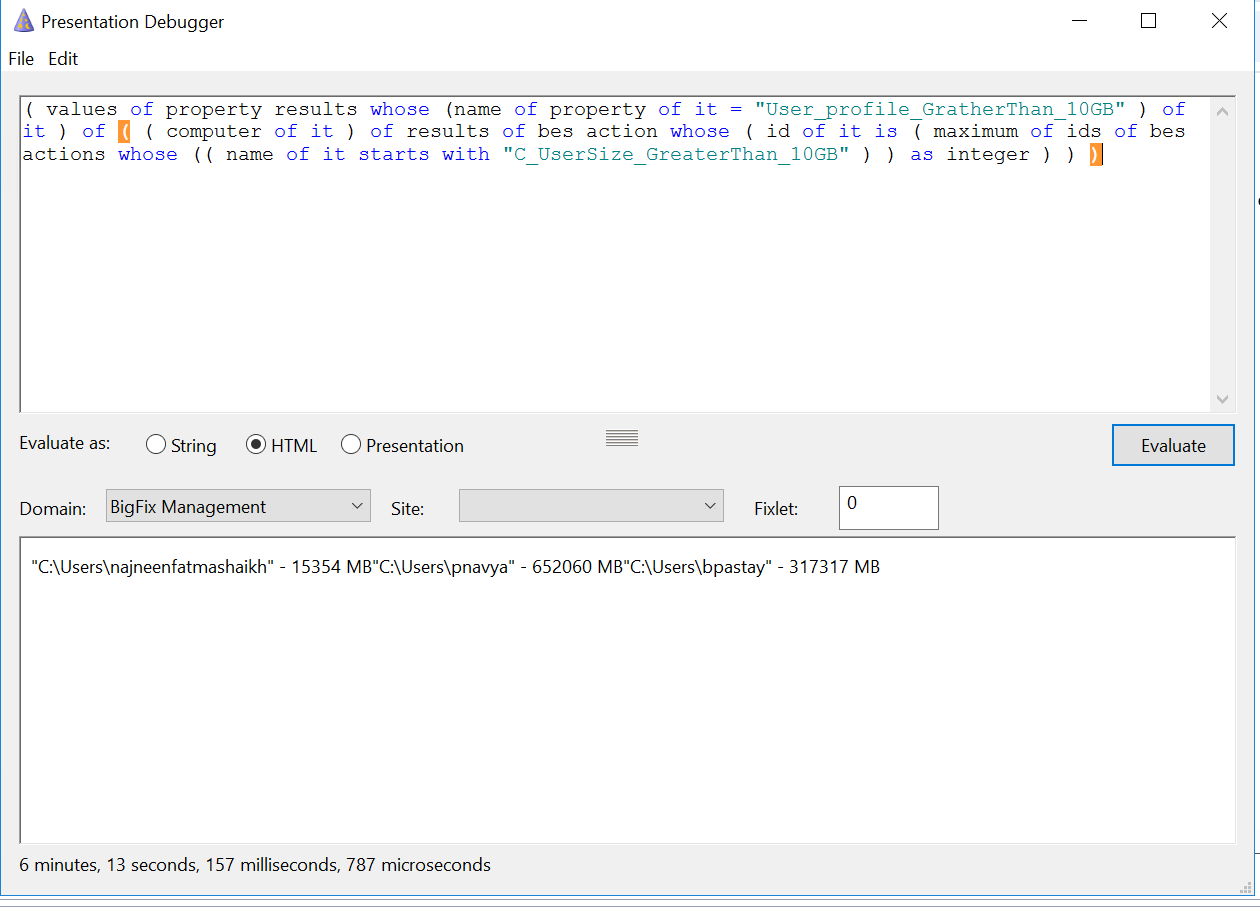
i have a session relevance that is working in presentation debugger but not working in custom report . Please find attached Screenshot for reference.
Relevance —( values of property results whose (name of property of it = “User_profile_GratherThan_10GB” ) of it ) of ( ( computer of it ) of results of bes action whose ( id of it is ( maximum of ids of bes actions whose (( name of it starts with “C_UserSize_GreaterThan_10GB” ) ) as integer ) ) )
Bellow is the relevance for custom managed property
name -User_profile_GratherThan_10GB
Relevance-
if ( exists lines whose (( preceding text of last “MB” of following text of last “-” of it ) as trimmed string as integer > 10240 ) of file “c:\temp\UserSizes.txt” ) then lines whose (( preceding text of last “MB” of following text of last “-” of it ) as trimmed string as integer > 10240 ) of file “c:\temp\UserSizes.txt” else "No User Profile Folder has size > 10 GB "
Fixlet ID/Name -2701849/C_UserSize_GreaterThan_10GB
Fixlet Action script
##################################
// Create a temporary PowerShell script file to execute the desired operationsaction uses wow64 redirection {not x64 of operating system}delete UserSizegt10GB.ps1createfile until EOF$ErrorActionPreference = “Stop”# Define a function to calculate the size of the profilefunction Get-ProfileSize { param ( [string]$profilePath ) # Initialize size variable $totalSize = 0 # Retrieve and iterate through each file in the directory, including hidden files # Use -ErrorAction SilentlyContinue to ignore files or folders that can’t be accessed $profileFiles = Get-ChildItem -Path $profilePath -Recurse -Force -ErrorAction SilentlyContinue foreach ($file in $profileFiles) { # Accumulate the file lengths to totalSize if ($file.PSIsContainer) { continue } if ($file.Length) { $totalSize += $file.Length } } return $totalSize} # Get profiles using Get-CimInstance$cimProfiles = Get-CimInstance -ClassName Win32_UserProfile | Select-Object LocalPath # Convert CIM profiles to just the user folder name$cimProfileFolderNames = $cimProfiles | ForEach-Object { $_.LocalPath -split ‘\’ | Select-Object -Last 1} # Get folder names from C:\Users and create a string array of names$userFolderProfileNames = Get-ChildItem -Path “C:\Users” -Directory | Select-Object -ExpandProperty Name# Ensure both are arrays of strings explicitly$cimProfileFolderNames = @($cimProfileFolderNames)$userFolderProfileNames = @($userFolderProfileNames)# Find profiles in both lists (intersection)$commonProfiles = @()foreach ($profileName in $cimProfileFolderNames) { if ($userFolderProfileNames -contains $profileName) { $commonProfiles += $profileName }}# Define file path for output$outputFilePath = “C:\Temp\UserSizes.txt” # Clear previous content of the file if existsIf (Test-Path $outputFilePath) { Remove-Item $outputFilePath} # Display profile details that are available in both listsforeach ($profilePath in $commonProfiles) { # Ensure the path is complete for Get-ProfileSize $fullPath = “C:\Users$profilePath” # Calculate the size of the profile in bytes using the new method $sizeBytes = Get-ProfileSize $fullPath # Convert the size to megabytes and round $sizeMB = [math]::Round($sizeBytes / 1MB, 0) # Format the output string $outputString = “"$fullPath” - $sizeMB MB" # Write the output to the file Add-Content -Path $outputFilePath -Value $outputString} Write-Output "The profile sizes have been written to $outputFilePath."EOFmove __createfile UserSizegt10GB.ps1waithidden { pathname of file ((it as string) of value “Path” of key “HKEY_LOCAL_MACHINE\SOFTWARE\Microsoft\PowerShell\1\ShellIds\Microsoft.PowerShell” of native registry) } -ExecutionPolicy Bypass -File UserSizegt10GB.ps1
#################
the fixlet recent executed action on target computers need be displayed in custom web report.
Presentation debugger relevance from previous comment fetches the latest action results .
This relevance is working in presentation debugger but not in custom webreport
Thanks
Glory Synala