This forum posting gives a way to find file by create date so we can use this with some small tweaks to build a list of files to delete excluding the most recent.
For applicability relevance I’d think something along the lines of
Relevance 1 (limit to Windows OS only)
windows of operating system
Relevance 2 (Limit to devices with the C:\Temp folder)
exists folder "C:\temp" whose (exists files whose (name of it starts with "esp_") of it) /
Relevance 3 (Restrict to devices with more than 1 copy of the target filename)
number of files whose (name of it starts with "esp_") of folder "C:\temp" > 1
And for the actionscript
parameter "FilesToDelete" = "{"%22" & concatenation "%22,%22" of (pathnames of files whose (name of it starts with "esp_" and modification time of it < maximum of modification times of files whose (name of it contains "esp_") of parent folder of it) of folder "C:\temp") & "%22"}"
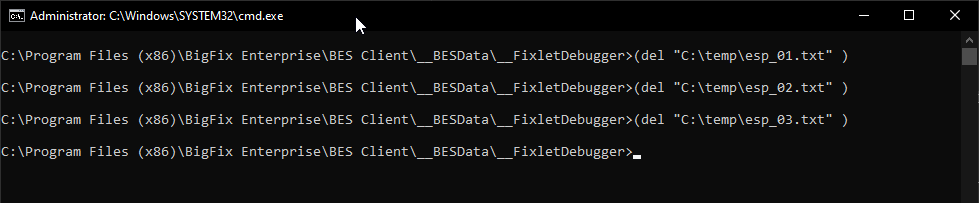
waithidden cmd.exe /c "for %a in ({parameter "FilesToDelete"}) do (del %a)"
You can test this using the FixletDebugger and change the waithidden to wait and /c to /k so you see the CMD prompt output