Hopefully this will help. Create a New Automatic Group using a name suitable for your environment (you can add this in the Master Action Site as in this screen grab of use your own custom site if you are using them. Use the + buttons to add 2 additional rules so you have 3 in total then from the drop down list “Computer Name” select “Relevance Expression”.
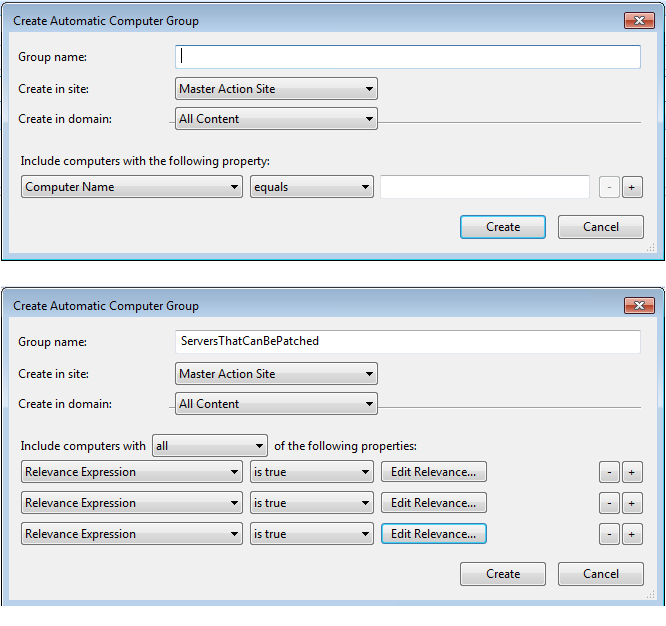
Click the Edit Relevance button then use these relevance statements for each item.
windows of operating system
product type of operating system != nt workstation product type
not exists value "srvcomment" whose (it as string as uppercase contains "EXCHANGE" or it as string as uppercase contains "SOX") of keys "HKLM\SYSTEM\CurrentControlSet\Services\LanmanServer\Parameters" of registry
Click on Create and the group will be created. This will then get sent out to endpoints to evaluate and over the course of time, you should start to see the group getting propagated with members.